9.0.0
Major Features
This is a very exciting major release, full of new features! 🎁
Joint Jog Teleoperation
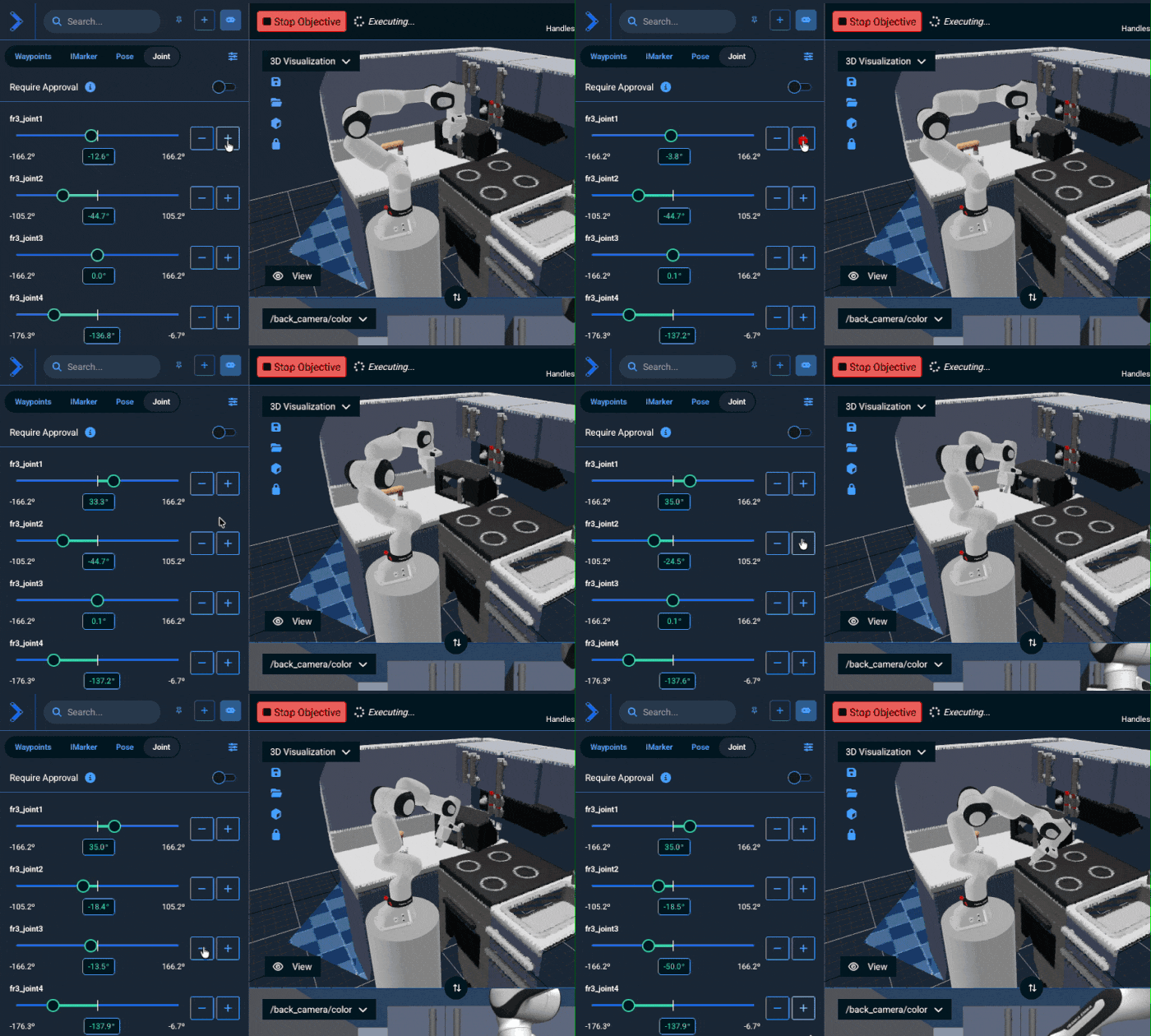
MoveIt Pro 9.0 introduces a new Joint Jog teleoperation mode that allows users to directly control individual robot joints through the Web UI. This new implementation replaces the previous MoveIt Servo-based joint jogging with a more robust and performant solution.
Key improvements over the previous Servo-based implementation:
- Better Performance: The new Joint Velocity Controller provides smoother, more responsive joint motion with configurable velocity and acceleration limits per joint.
- Enhanced Safety: Built-in safety features include online collision checking, joint limit enforcement with configurable safety margins, and automatic stopping when commands time out.
- Simplified Configuration: Joint Jog uses a streamlined configuration file (
joint_jog.yaml) that maps planning groups to their controllers, eliminating the need for complex MoveIt Servo parameter tuning. - Multi-Arm Support: Native support for dual-arm and multi-arm configurations with independent control of each manipulator.
- Mobile Base Integration: Seamless integration with mobile bases, allowing simultaneous control of platform and arm joints (whole body control).
The Joint Jog Behavior performs continuous collision checking to ensure safe operation, with user-configurable link padding and stop safety factors. Users can also disable collision checking when needed for specific applications.
See the 9.0 User Workspace Migration Guide for instructions on updating your robot configuration packages to use the new Joint Jog feature, as the previous MoveIt Servo-based implementation is no longer available.
Scan and Plan Capabilities for Spraying & Surface Treatment
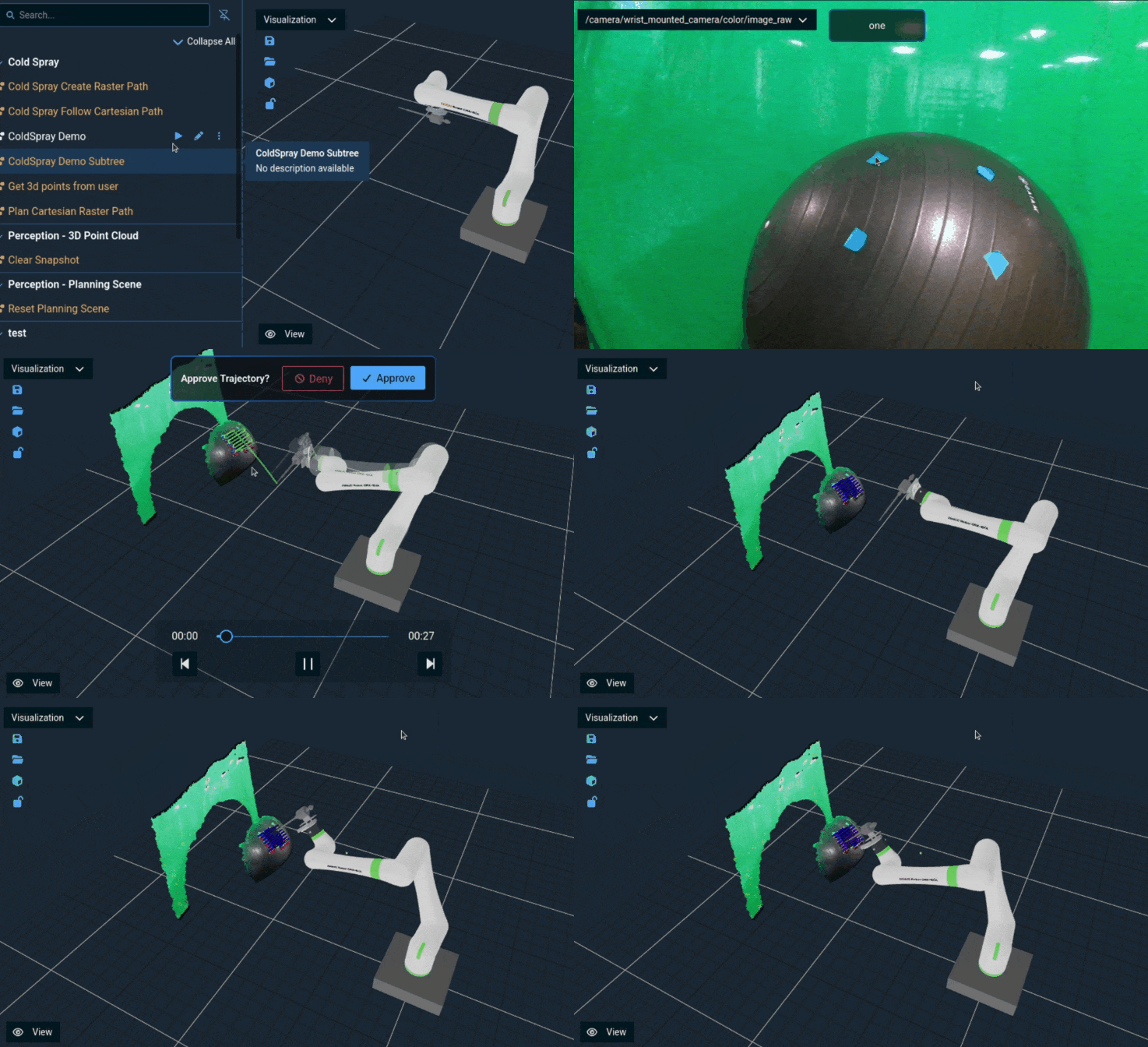
One of the recent improvements to MoveIt Pro is a set of Behaviors that enable scanning point clouds of the real-world and automatically generating rasterized Cartesian tool paths across the contours. This is ideal for spraying, washing, sanding, grinding, and more. You can see an example of this working in the Move along Contour Objective in the hangar_sim world and Plan Path Along Surface Objective in factory_sim. New Behaviors include:
GetContourFromPointCloudSlice- creates a planar contour that is offset around a point cloud slice.MergePointClouds- exposes an option to align the point clouds using ICP when merging them.CropPosesInBox- filter a vector of poses, such as a Cartesian path, based on a bounding box.
New Image Mask Behaviors
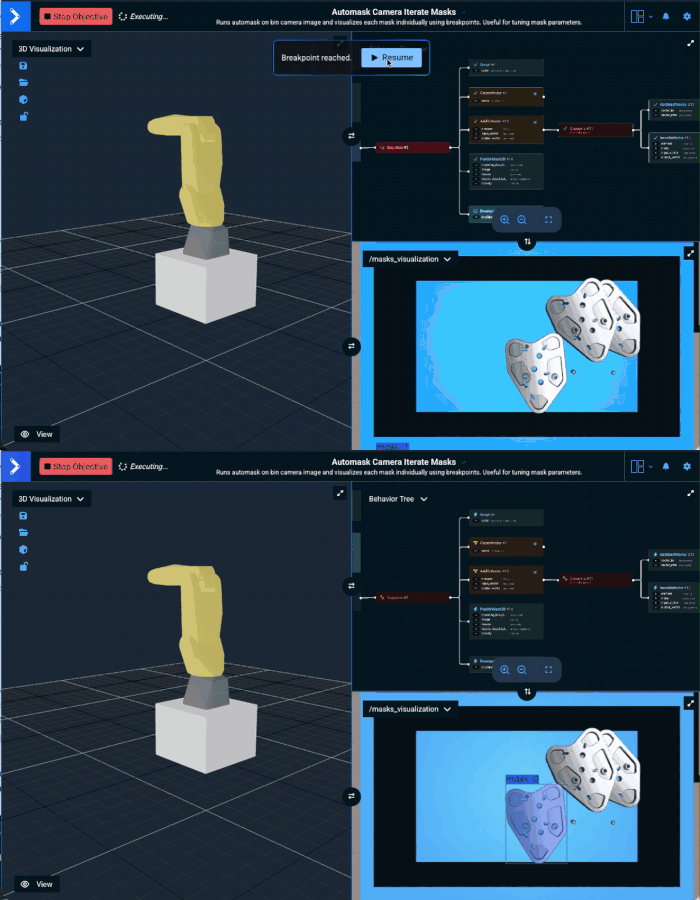
New behaviors were added to enable inspecting and filtering bounding boxes and areas of 2D masks.
Check out FilterMasks2DByArea, FilterMasks2DByBoundingBox, and GetMask2DProperties for more information.
Useful for pruning image masks produced by ML behaviors such as automasking.
Fully Redesigned User Interface
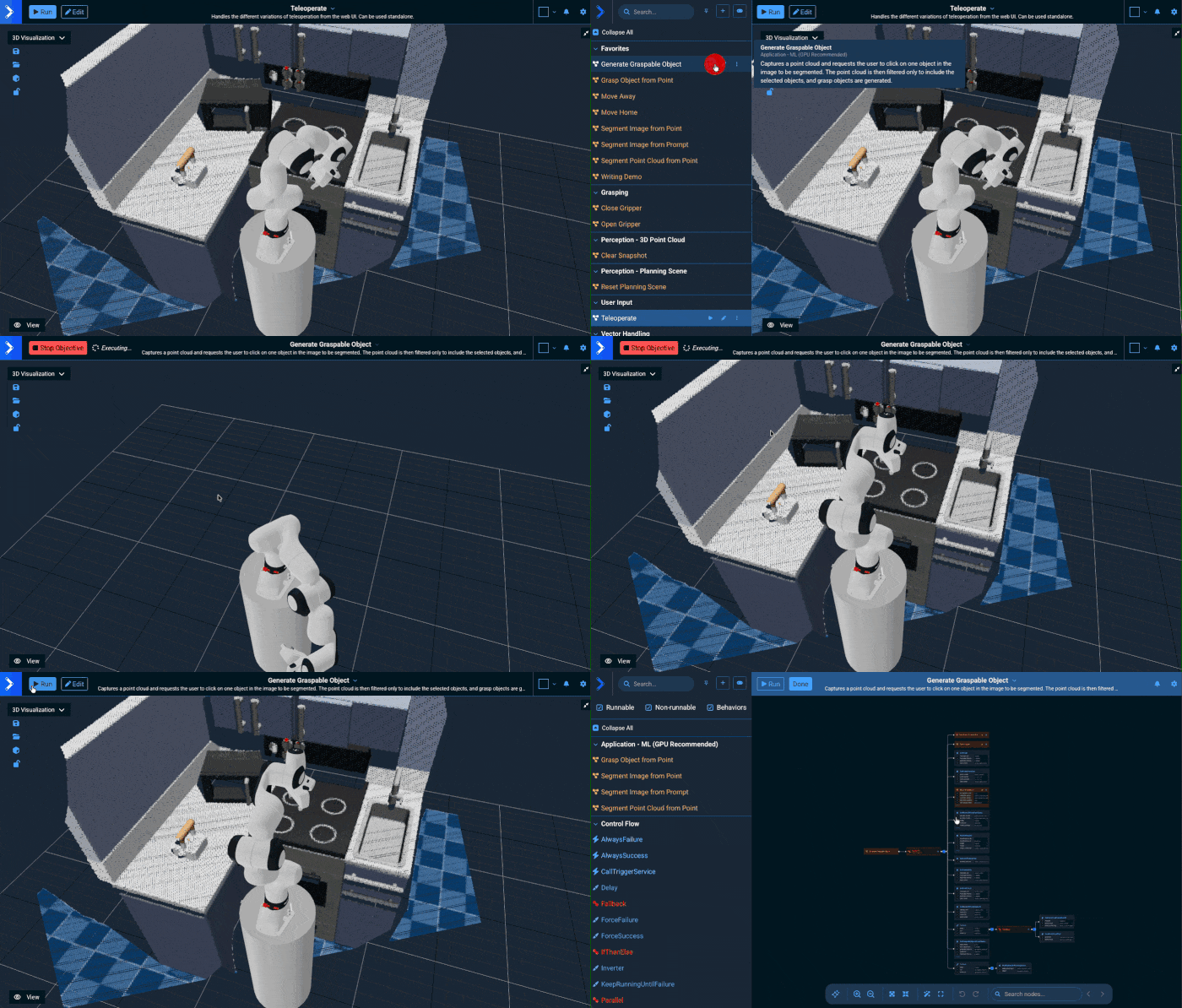
The new 9.0 UI reduces mouse travel for common workflows, removes confusion around editing while in Build mode, and eliminates wasted space caused by duplicate header bars. The refreshed layout delivers a cleaner, more modern look that improves usability today while making the product more visually appealing. A key change is we have removed the main Build / Run buttons, unifying this concept into a single sidebar, but many other enhancements are explained below.
Added optional "Snap to Box" feature to the Behavior Tree editor
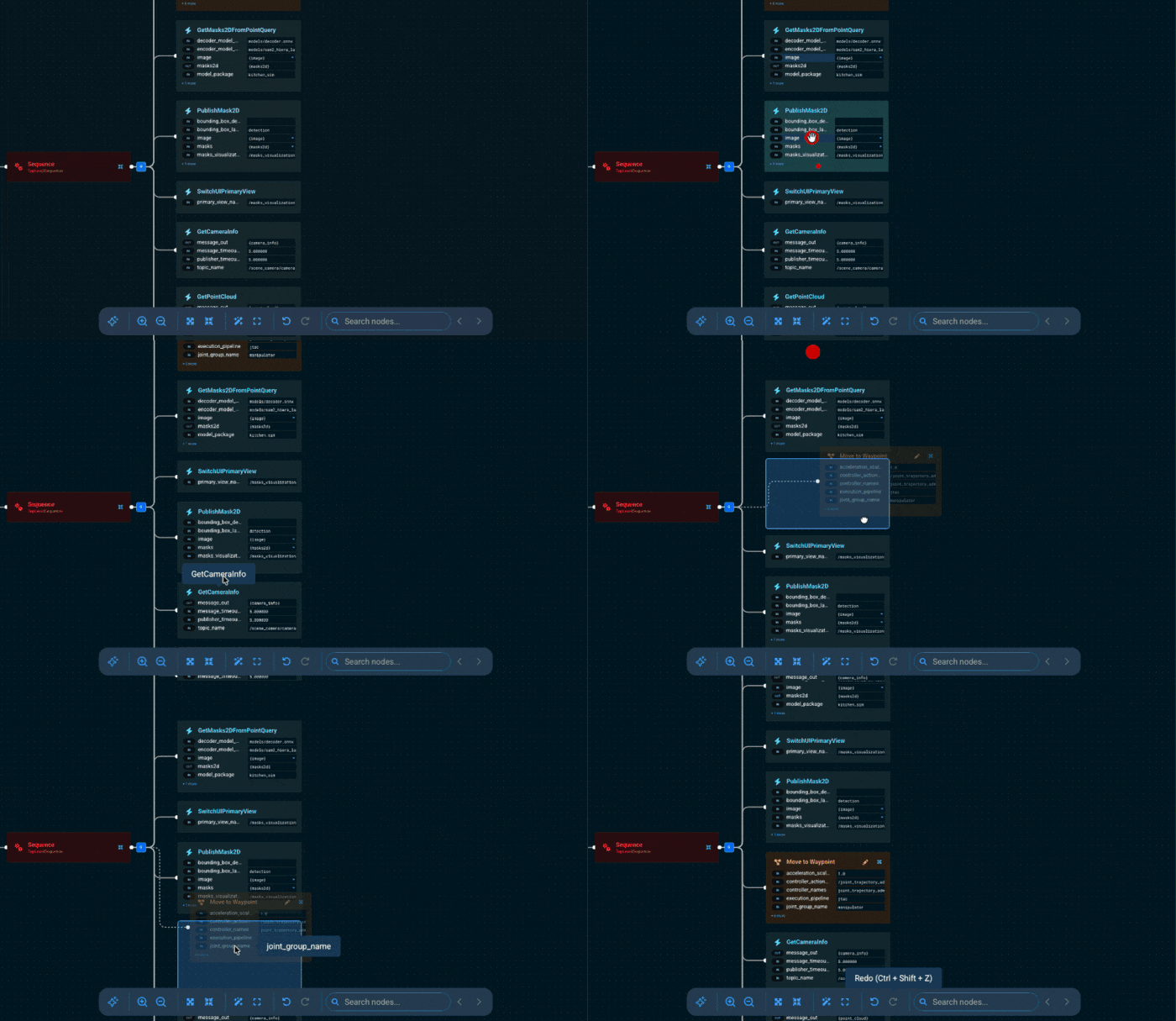
This editing mode allows nodes to be visually snapped to insertion points between siblings when dragging, making it easier to reorganize the tree structure. The implementation includes visual drop zones, grid-based layout for consistent node sizing, and a toggle in the UI to enable/disable the feature depending on your preference.
Added search for nodes and ports in editor mode with highlighted matches
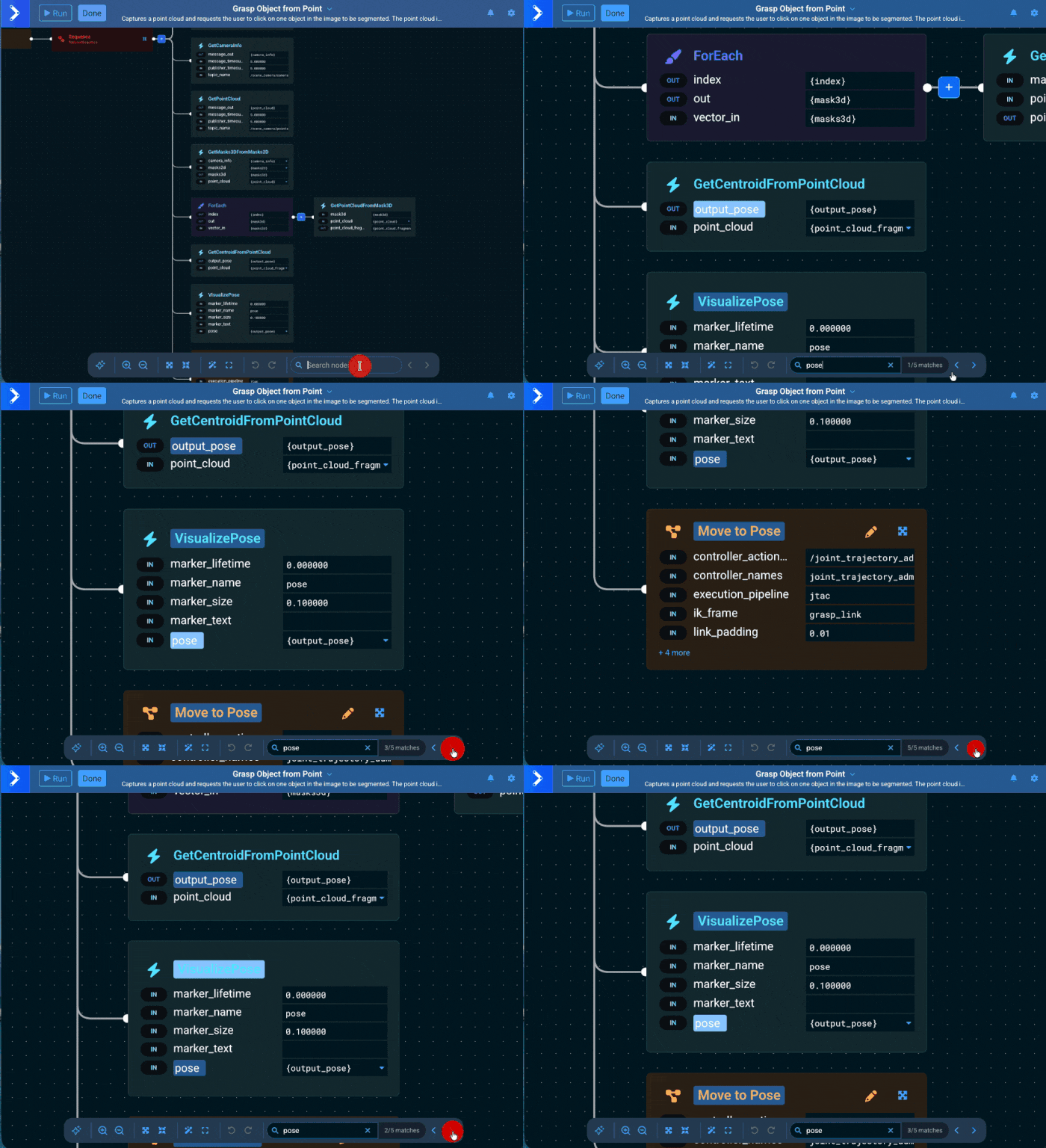
You can now search Behavior Tree nodes and ports by name in the editor, navigate between matches, and see the current match highlighted directly on the canvas.
Added Runtime/Editor filtering to toast history
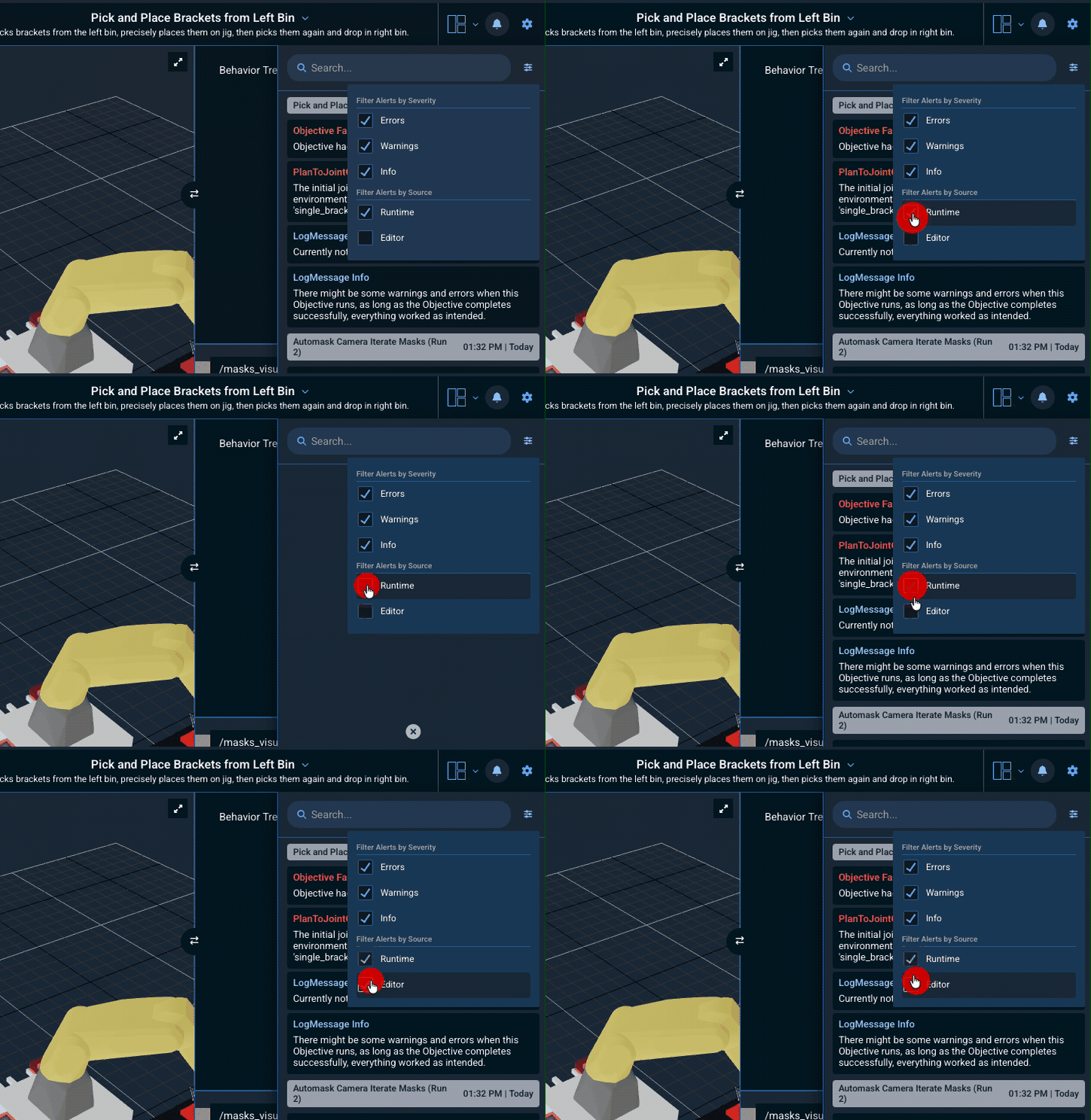
Users can now filter alert messages in the alert history drawer by their source: Runtime (ROS logs and Objective execution events) or Editor (Build mode and editor operations). This makes it easier to focus on the messages that matter for the current task—for example, isolating Runtime alerts while debugging a Behavior Tree, or viewing only Editor-related notices while configuring Objectives.
Added Isometric View Modes
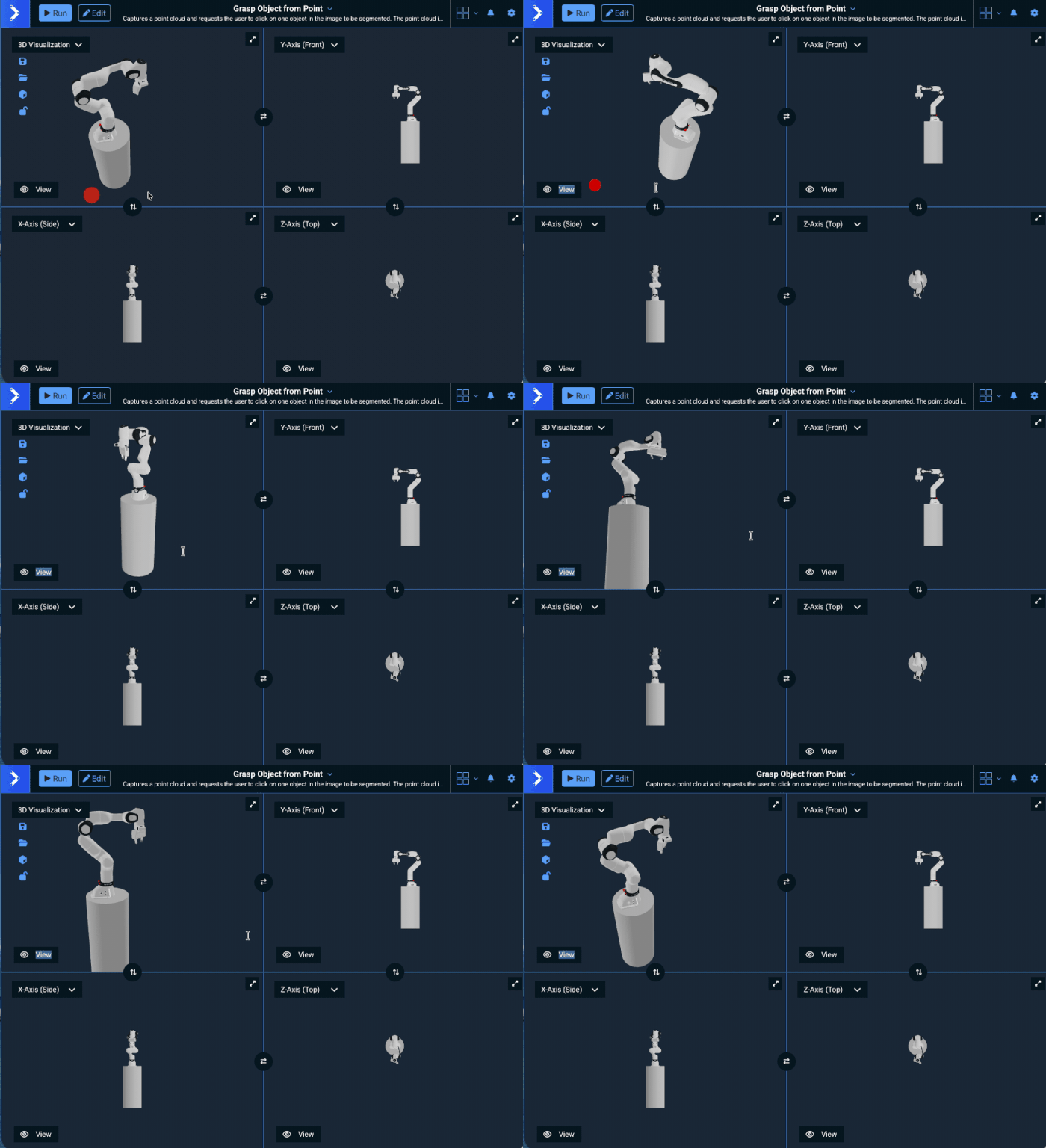
Users can now view the robot and scene from multiple perspectives simultaneously (the original 3D "Visualization" view plus 3 new orthographic views along the X, Y, and Z axes). The different views can be selected from the view dropdown menu.
Added 5 and 6 pane view options
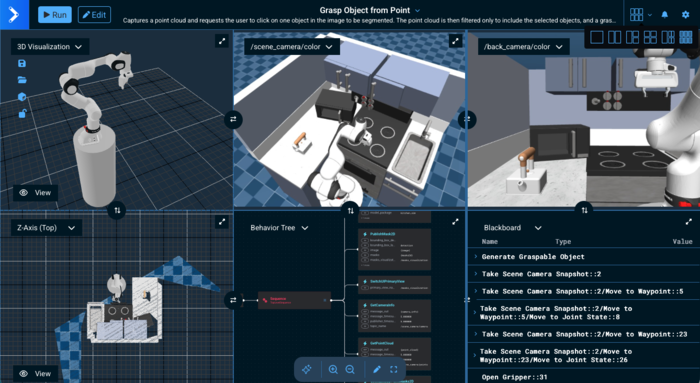
Added two new pane view options for large monitors: 5-pane view and 6-pane view. These layouts provide additional flexibility for users who need to view multiple camera feeds and visualization panels simultaneously.
- 5-pane view: Features one tall pane on the left spanning the full height of the canvas and four smaller panes on the right arranged in a 2×2 grid (two columns, two rows).
- 6-pane view: Displays six equal-sized panes in a 2×3 grid layout (33.33% width each), ideal for viewing multiple camera streams alongside the main visualization.
Added multi-joint simultaneous jogging functionality
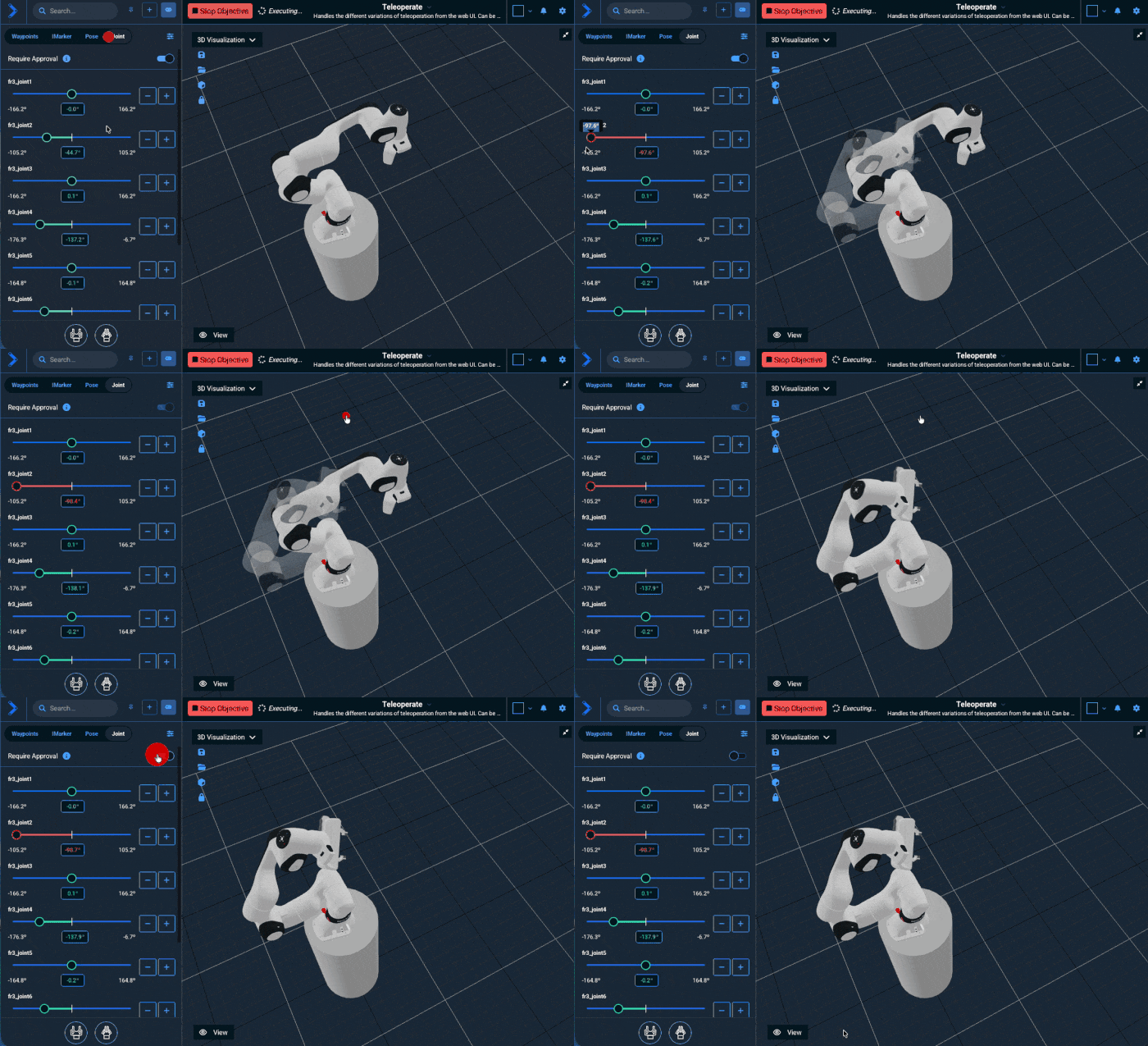
In the teleoperation interface, users can now adjust multiple joint sliders and approve all changes together before execution.
Other Enhancements
Inverse Kinematics with Better Constraints
- Path IK now exposes a way to track a path's orientation as a nullspace cost, rather than as a constraint. This allows position-only constrained paths to still closely follow the target orientation when kinematically feasible. Only available in the C++ and Python APIs via
PathIKOptions::setTrackPathOrientationNullspaceTask(). - Path IK now allows customizing the maximum allowed path deviation tolerances via
PathIKOptions::setMaxAllowedPathDeviation(). Available in the C++ and Python APIs. - Path IK now allows users to provide a custom nullspace override function via
PathIKOptions::setNullspaceOverrideFunction(). This function receives the computed nullspace component and current joint values, and can modify or replace the nullspace component before it is applied. Available in the C++ and Python APIs.
Misc UI Changes
- Added a "MoveIt Pro Started" separator to the logs in the alert sidebar
- Updated the visual appearance and layout of the Ports Sidebar in the Behavior Tree editor for better readability and UI consistency.
- Added a Behavior category displayed in the Behavior description popover, as well as the "Quick Add" menu under the Behavior name
- Message type names in the UI are now sanitized to hide verbose C++ template parameters:
<std::allocator<void> >suffixes are removed,std::__cxx11::basic_string<...>is simplified tostd::string, and default allocator template parameters in vectors are removed. This makes type names cleaner and easier to read, and allows users to enter simple type names that will match for type highlighting. - Moved "Submit Feedback" out of the settings menu and into the About modal.
- Software Upgrade notification toasts now persist dismissal state, so that dismissed upgrade notifications for a specific version will not reappear until a newer version is available.
Updated ROS Snapshot
- The ROS Humble snapshot being used for packages was updated to the 2026-01-07 snapshot.
- Stay tuned for an optional ROS Jazzy in an upcoming 9.0 release ;-)
Behavior Changes
SetupMTCMoveToPose,SetupMTCMoveToJointState,SetupMTCMoveToNamedState, andSetupMTCConnectWithTrajectoryhad been deprecated in version 7.1.0 and are now removed entirely in 9.0. Please useSetupMTCPlanToPose,SetupMTCPlanToJointState,SetupMTCPlanToNamedState, andSetupMTCConnectWithProRRTrespectively.DetachURDFandRemoveURDFFromSceneBehaviors now return success (no-op) when attempting to detach or remove a tool that doesn't exist, instead of returning an error.- Consolidated
ExecuteFollowJointTrajectoryandExecuteTrajectoryWithAdmittanceinto a singleExecuteTrajectoryBehavior that supports both standard FollowJointTrajectory action servers and Joint Trajectory Admittance Controller (JTAC) action servers via anexecution_pipelineinput port. GetContourFromPointCloudSlice: Renamed input portdesired_pose_spacingtomax_pose_spacingto better reflect its behavior as an upper limit on waypoint spacing rather than a target spacing value. This is a breaking change that requires updating Objective files.GetImage,GetCameraInfo,GetPointCloud: Renamed input porttimeout_sectomessage_timeout_secto better distinguish it from thepublisher_timeout_secport. This is a breaking change that requires updating Objective files.ExecuteMTCTaskhas been deprecated in favor ofExecuteMTCSolutionand the newExecute MTC Solutionsubtree. The coreMove to PoseandRequest TeleoperationObjectives have been updated to use this new subtree internally. This will allow deprecating the old MoveIt 2 execution pipeline in favor of more transparent and direct communication with the robot controllers.
Removed Deprecated Behaviors
The following previously deprecated Behaviors have been removed. If you have custom Objectives using any of these Behaviors, please refer to the 9.0 User Workspace Migration Guide.
ActivateControllersAddSubframeToObjectAddToolToSceneAppendOrientationConstraintAttachToolDetachToolGenerateObjectsInBoxGetGraspAndTwistSubframesGetMoveAlongArcSubframesInitializeMotionConstraintsLoadObjectiveParametersRemoveToolFromSceneServoTowardsPoseSetupMTCApproachGraspSetupMTCGenerateCuboidGraspsSetupMTCGenerateVacuumGraspsSetupMTCRetractFromGraspTeleoperateTwistTransformPoseFromYamlWriteCalibratedPoseToYaml
Reference Application Changes
- In
factory_simthere is a new ObjectiveAutomask Camera Iterate Maskswhich demonstrates using automask on binary camera images and visualizes each mask individually using breakpoints. This particular objective is useful for tuning mask parameters and can be applied to improve ML workflows.
Documentation Improvements
- Adds tutorial for how to use
GetMasks2DAutomaskfor ML-based automasking or automatic segmentation of images
Other Improvements
- Path IK now exposes a way to track a path's orientation as a nullspace cost, rather than as a constraint. This allows position-only constrained paths to still closely follow the target orientation when kinematically feasible. Only available in the C++ and Python APIs via
PathIKOptions::setTrackPathOrientationNullspaceTask(). - Path IK now allows customizing the maximum allowed path deviation tolerances via
PathIKOptions::setMaxAllowedPathDeviation(). Available in the C++ and Python APIs. - Path IK now allows users to provide a custom nullspace override function via
PathIKOptions::setNullspaceOverrideFunction(). This function receives the computed nullspace component and current joint values, and can modify or replace the nullspace component before it is applied. Available in the C++ and Python APIs. - For the example objectives
Pick 1 Pill BottleandPick All Pill Bottlesinlab_sim, the text prompts have been changed to a more descriptive prompt, improving the performance and consistency of the image segmentation. - Removed deprecated configuration related to planning group setup, including the
jointsandbase_link/base_frameparameters. All example configurations which still use these parameters now acceptplanning_group_nameinstead. - The OMPL library is no longer used in any functionality in MoveIt Pro, having been fully deprecated many releases ago and select algorithms re-implemented from first principles as discussed on the MoveIt Pro Core page.
- MoveIt Pro nodes launched via ROS launch now use TTY terminals, preserving colored console output.
Bug Fixes
- Fixed
LogMessageBehavior not setting a source name, which caused the UI to incorrectly parse messages containing periods or colons. - Fixed issue where the EditWaypoint behavior was failing to save new waypoints.
- Fixed an issue in trajectory parameterization where the last point of the trajectory could be missed due to rounding errors in time step calculation, leading to "Trajectory end-point deviates too much from goal state" errors in MTC pipelines.
Breaking API Changes
LoggerBase::publishFailureMessage,publishWarnMessage, andpublishInfoMessageare no longer virtual. Tests mocking these methods should mockpublishMessage(int32_t, const std::string&)instead.- The URLs for camera streams viewed in the Web UI now contain a
qos_profilefield which is set tosensor_datato match the QoS settings of MuJoCo. This should also be the default for most cameras but if you are unable to view a camera stream in the web UI, you can verify that the web subscription QoS matches the camera publisher QoS withros2 topic info -v /my/camera/topicand adjust the publisher QoS settings accordingly.
Migration Guide
Information on migrating a workspace from MoveIt Pro 8.x to 9.0 can be found in the 9.0 User Workspace Migration Guide.
MoveIt Pro 9.0 encourages users to switch to the Joint Trajectory Admittance Controller (JTAC) for improved safety and performance when executing trajectories.
The JTAC will respect the robot joint acceleration limits when it needs to stop a trajectory.
Make sure to set the stop_accelerations parameter in the controller configuration high enough that the robot can decelerate and stop quickly enough to meet your application's safety requirements.