7.5.0
· 4 min read
Major Features
Tool for Decimating Meshes to Speed Up Performance

MoveIt Pro now includes a new tool for decimating meshes to increase performance of collision checking and simulation. See the Simulation Troubleshooting Guide for usage details.
UI Improvements to Joint Control
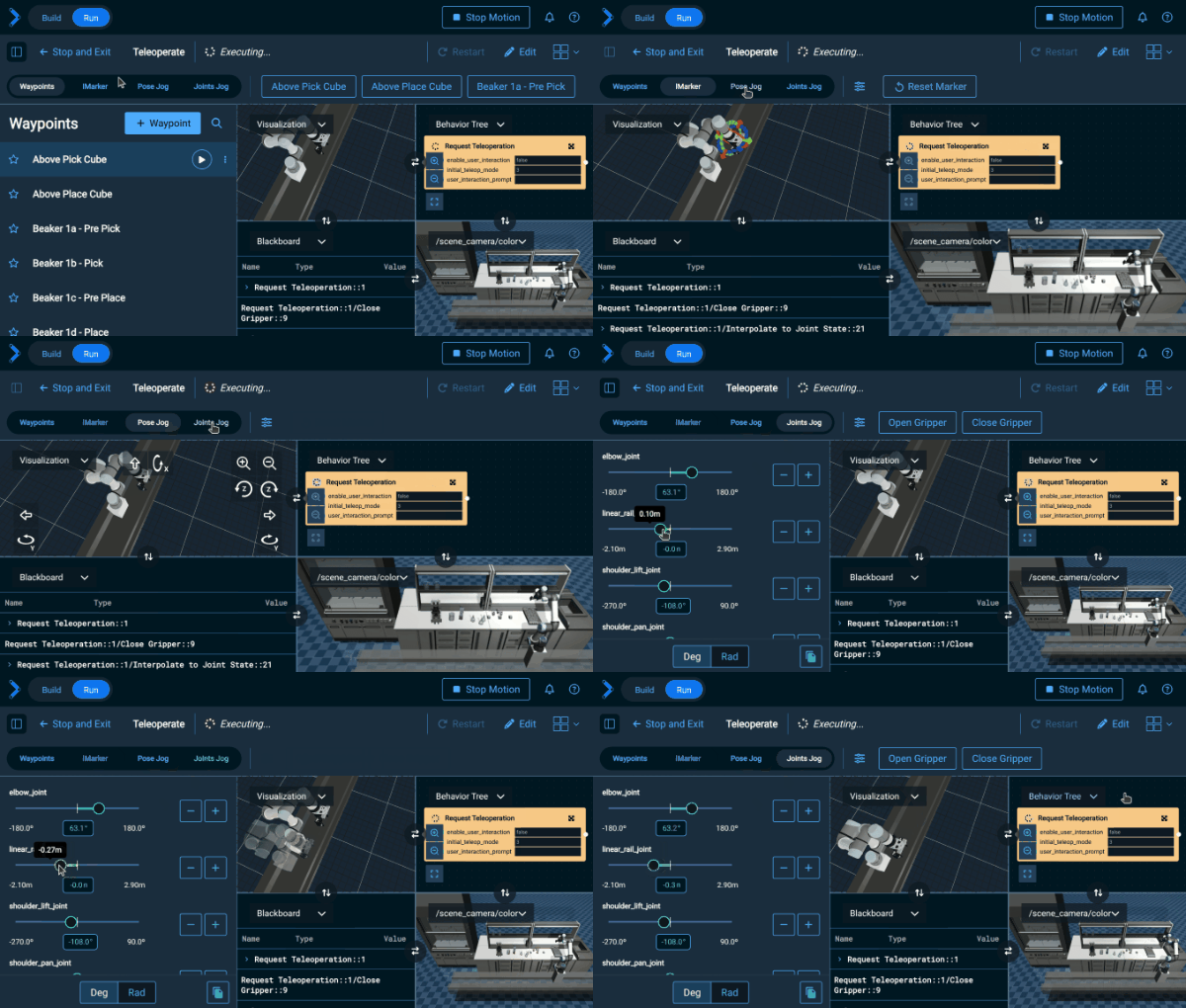
The joint control spinner user inputs are now always present and don't require a click to enter into them. They are also refreshed with updated styling and they have been moved into the side bar.
Text Markers support in UI
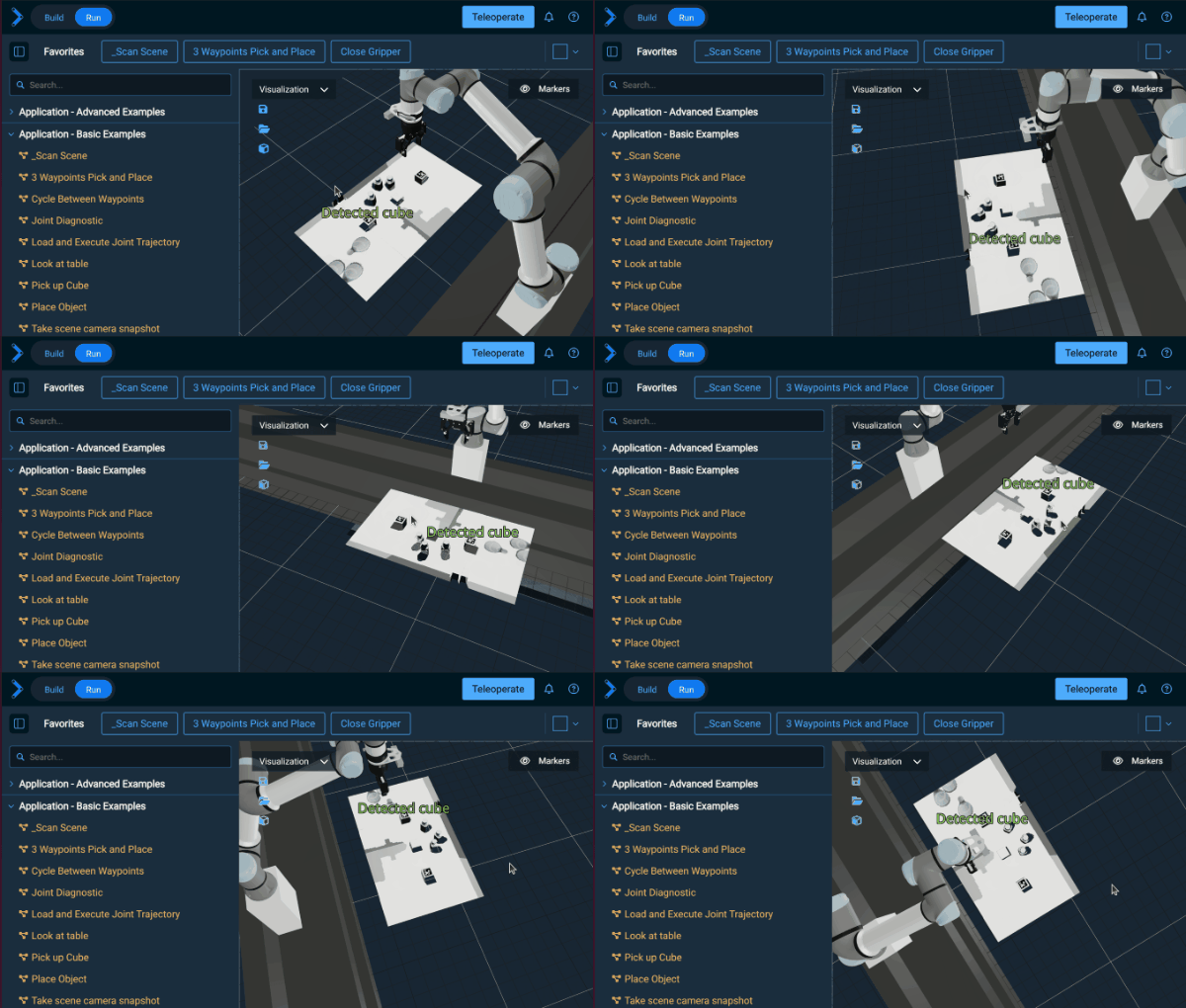
You can now publish text markers in our visualizer, to better help understand and debug your robotics system.
Enhancements
UI Changes
- The default ground plane in the visualization is now hidden if your robot has a visible occupancy grid, to avoid graphical artifacting from two planes at Z=0.
- When disabling collision checking, the UI now displays a warning and an explanation of which controls are affected.
- Reworded the "Cancel" button when running an Objective to make it clearer when an Objective will be canceled when pressing the button.
- The buttons in pose jog are now color-coded to make it clearer which axis is being translated or rotated when jogging in a view other than a wrist camera stream.
Reference Application Changes
Other New Behaviors
- Added a
RecordJointTrajectoryBehavior which allows you to record the joint states of a given planning group as aJointTrajectorymessage.
Behavior Changes
- Default name for breakpoint subscriber topic is changed from
/studio_breakpointto/moveit_pro_breakpoint - The
SwitchUIPrimaryViewBehavior no longer throws an error when a topic does not exist yet, and instead displays a placeholder while waiting for the topic to become available. SetupMTCCurrentStateno longer makes a collision check. Planners downstream in the pipeline are responsible for this. Theskip_collision_checkinput port is kept for backwards compatibility, but it is now ignored and will be fully removed in the next major release.
Bug Fixes
- Fixed an issue where visual materials in Collada files in URDFs were incorrectly converted between colorspaces.
- Fixed a visual bug in the UI when rendering arrow markers with multiple points.
- The dropdown of suggestions on an IN/OUT port containing a blackboard variable no longer steals your keyboard focus while typing.
- Fixed an issue where the Objective execution status would not show while execution was backgrounded by navigating to the Build tab.
- Objectives are now sorted the same way in the favorites bar as in the sidebar.
- Fixed a bug where modifying an Objective would not cause Subtree references to that Objective to appear updated in the editor.
- The UI now correctly uses port 80 to proxy rosbridge communication instead of requiring port 3201 to be exposed.
- Fixed a bug where failure to load a mesh referenced by a URDF file would cause the UI to hang silently instead of displaying an error message informing the user which mesh failed and why.
- Fixed an issue where Subtrees created using the "Convert to Subtree" button would initially appear empty, despite being populated properly when executed.
- Fixed a bug where Subtree XMLs would erroneously have port information in the BehaviorTree element.
- The interactive marker control generated by the RequestTeleoperation Behavior now properly disappears when the teleoperation request ends.
- Fixed a broken link to the release notes when clicking the MoveIt Studio version in the help menu.
- Waypoints are now sorted when written to disk. Version control diffs of the waypoints yaml file should now be more readable.
- Fixed an issue where planning with MTC to the exact state where the robot is already at would trigger an error.
- Fixed an issue where "Resume" button could stick around after advancing through all breakpoints in a Behavior Tree.
- Fixed a bug where host NVIDIA resources were not properly initialized in the Docker container for the drivers service, causing issues with GPU acceleration.
- Invalid configuration package names are not accepted when using
moveit_pro configure, users will be asked to re-enter the name if the package cannot be found.