Collect Training Data with Behaviors
Use data-recording Behaviors when you want an Objective to collect its own demonstrations. This is useful for a repeatable scripted task or an oracle policy: the Objective starts Trainer, runs the task, keeps a successful episode, and converts the dataset without manual timing.
| Behavior | Role in the Objective |
|---|---|
| RecordEpisode | Starts a Trainer recording with a saved Training Config. |
| SaveEpisode | Keeps the current demonstration after the task succeeds. |
| StopRecording | Finishes the session, or safely discards an unsaved failed attempt. |
| ConvertDataset | Starts a background conversion to LeRobotDataset v3.0. |
Prerequisites
- Complete Collect VLA Training Data with Trainer first. You need a saved Training Config with working robot-state, command, and camera topics.
- Choose a runnable task Objective to record. This example wraps Pick April Tag Labeled Object and uses the
lab_simTraining Config.
1. Build the wrapper Objective
Create an Objective and add a Fallback with two branches:
- In the first Sequence, add these nodes in order:
- RecordEpisode
- WaitForDuration
- your task as a Subtree
- SaveEpisode
- WaitForDuration
- StopRecording
- ConvertDataset
- In a second Sequence, add StopRecording followed by AlwaysFailure.
The second branch is deliberate cleanup, not a forced success. If the task fails before SaveEpisode, StopRecording discards that unsaved attempt and AlwaysFailure preserves the Objective's failed result. A failed pick is never labeled as a successful demonstration.
Set the main ports as follows:
| Node | Port | Example value |
|---|---|---|
| RecordEpisode | dataset_name | behavior_bottle_pick |
| RecordEpisode | task | Pick up an AprilTag-labeled bottle. |
| RecordEpisode | config_name | lab_sim |
| RecordEpisode | num_episodes | 1 |
| first WaitForDuration | delay_duration | 2.0 |
| second WaitForDuration | delay_duration | 1.0 |
| ConvertDataset | dataset_name | behavior_bottle_pick |
The short waits let recording settle before motion begins and let the saved episode finish updating in Trainer before the session closes. Leave camera_topics empty to use the cameras from the named Training Config.
Collapse the task Subtree after adding it. The editor then emphasizes the recording lifecycle while the complete picking task remains reusable behind one node.
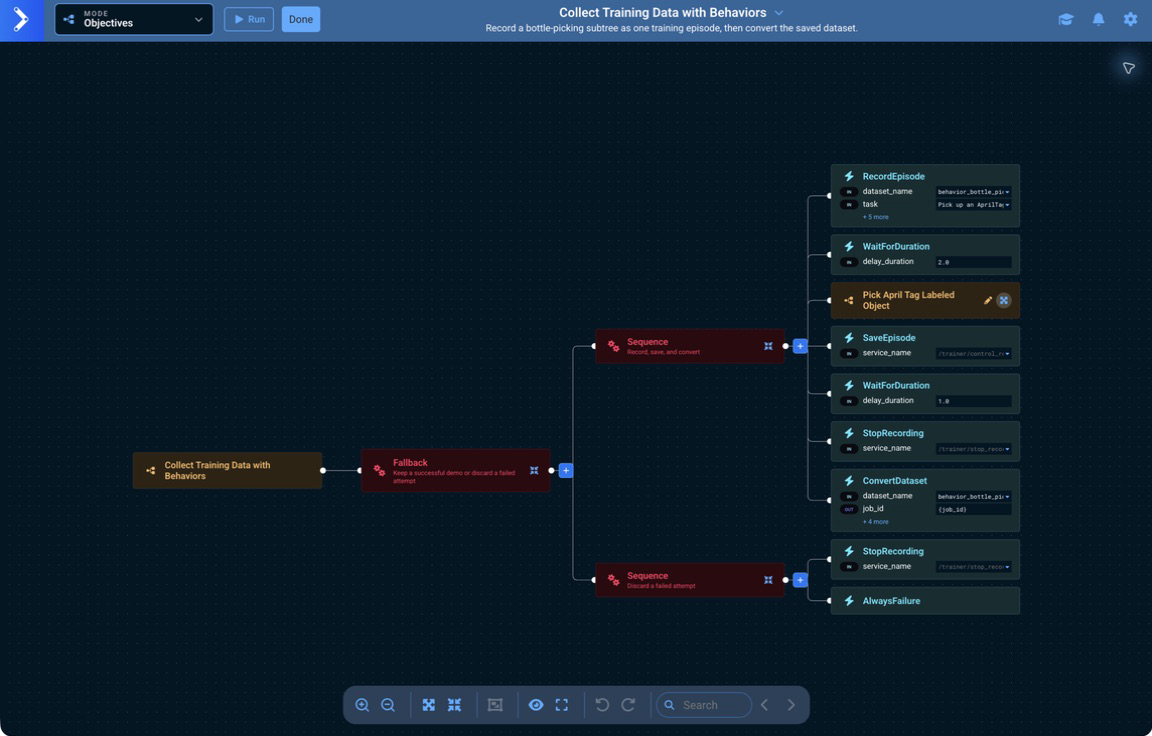
2. Record the task
Open Trainer and leave the Record tab visible, then select Run on the wrapper Objective. Do not select Start recording manually; RecordEpisode starts the same recording session and its status appears live in Trainer.
The task Subtree now performs the demonstration. SaveEpisode runs only after that Subtree succeeds, so the episode contains a completed bottle pick rather than an unfinished attempt.
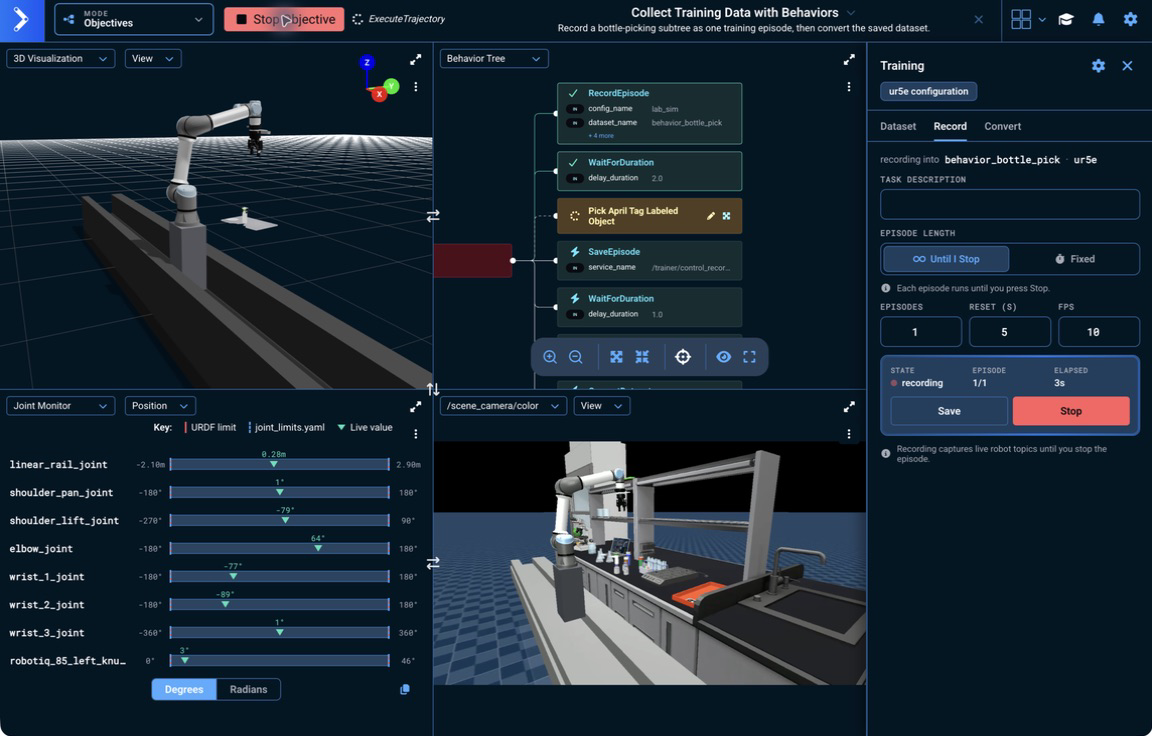
When the run completes, StopRecording finishes the session and registers the episode in the dataset.
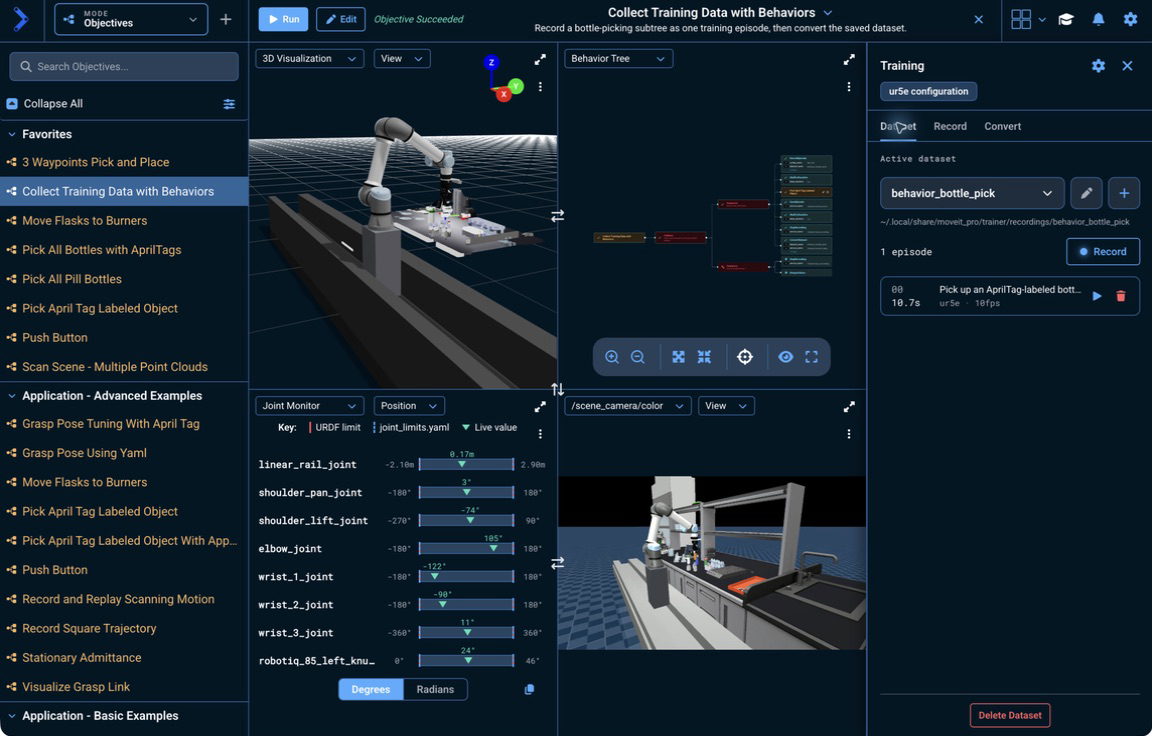
3. Review the episode
Open the Dataset tab and select the play button on the episode. Use play/pause and the timeline to inspect the recorded motion. Select Stop in the Playback mode card to return to the live robot.
Playback only reviews recorded data; it does not command the robot.
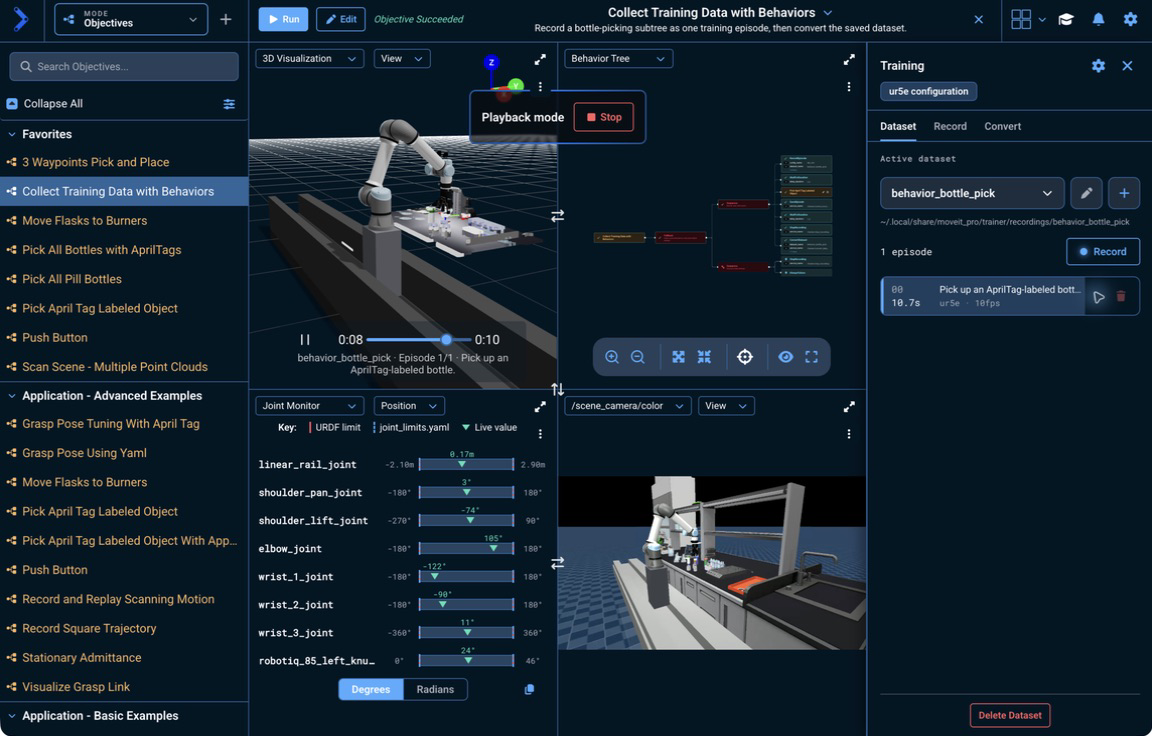
4. Confirm the conversion
ConvertDataset uses the same dataset_name as RecordEpisode. It derives the output settings from the recording and creates a sibling dataset named <dataset-name>-lerobot.
Conversion runs in the background. The Behavior succeeds when the conversion job is accepted, so open the Convert tab to monitor it through completion.
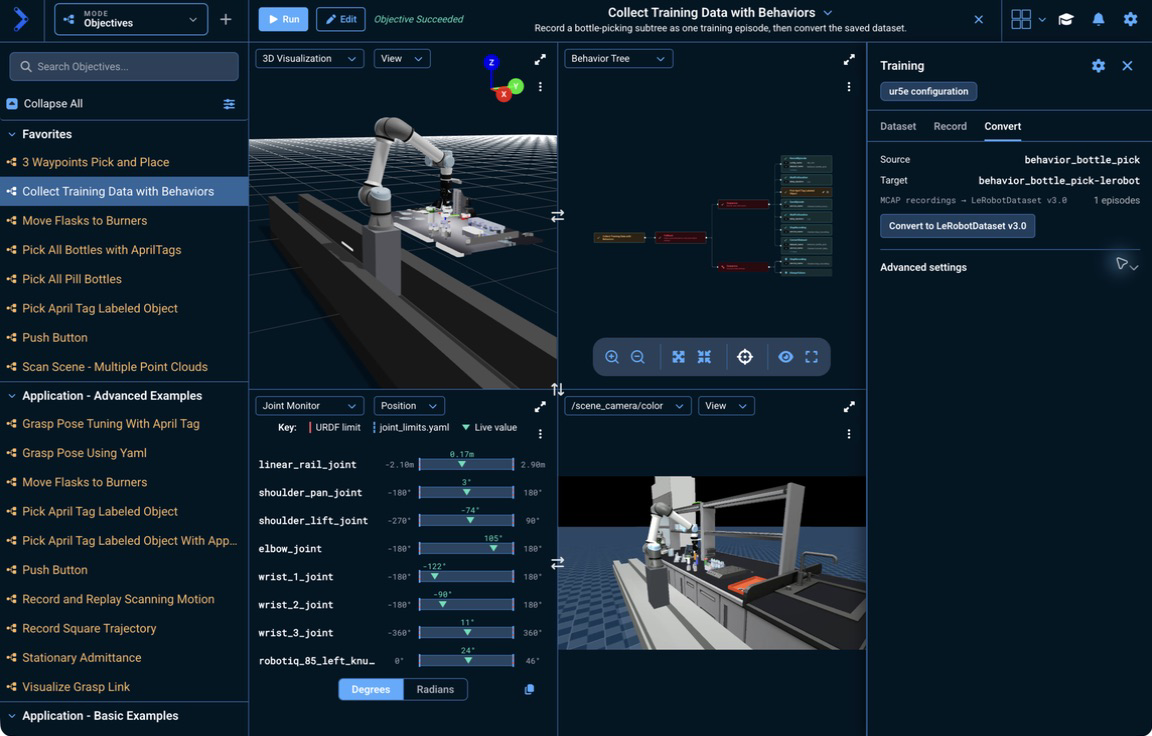
The converted dataset contains LeRobot data, meta, and videos folders at:
<TRAINER_DATA_ROOT>/recordings/behavior_bottle_pick-lerobot
<TRAINER_DATA_ROOT> is MOVEIT_PRO_TRAINER_DATA_ROOT when set, or ~/.local/share/moveit_pro/trainer by default.
For a larger oracle-data collector, start RecordEpisode once with num_episodes set to the batch size. Inside a loop, randomize the scene, run the task Subtree, call SaveEpisode only after a successful rollout, and reset the robot for the next attempt. Place StopRecording and ConvertDataset after the loop so the complete batch is closed and converted once. Keep the failure cleanup branch so a failed rollout is discarded and the batch stops for inspection.