Programmatic SDKs Overview
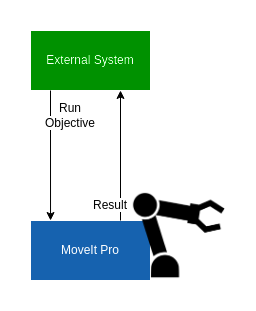
MoveIt Pro exposes its full ROS 2 surface (actions, services, topics, and parameters) to external programmatic clients. Use a native ROS 2 client library (rclpy for Python, rclcpp for C++) running on the same DDS network as the MoveIt Pro Runtime.
The MoveIt Pro Desktop App's transport on port 3201 uses the Foxglove WebSocket protocol, not the rosbridge JSON protocol. See Migrating rosbridge Clients for supported replacements.
This section is organized by feature. Each feature page shows the same workflow in rclpy and on the command line.
Setup
Install ROS 2 matching the distro that MoveIt Pro is running (Jazzy for Ubuntu 24.04) and source its setup script before running your client. Add moveit_studio_sdk_msgs to your package.xml so the action and service definitions are available.
Your client process must be on the same DDS network as the MoveIt Pro Runtime, typically the same host or the same L2 segment with multicast enabled. If you need to drive MoveIt Pro from across a routed network where DDS does not work cleanly, run an intermediate ROS 2 node on the robot's network and have it forward the calls.
What You Can Do
- Run an existing Objective — execute an Objective by name, optionally cancel it, or call it synchronously through the
/execute_objectiveservice. - Run an Objective from a custom Behavior Tree XML — send a Behavior Tree as a string at runtime, including Subtree port remapping.
- Pass parameters to Objectives at runtime — inject blackboard values without editing the Objective XML.
- Invoke a Python service from a Behavior — bridge a
rclpyservice into an Objective viaCallTriggerService. - Migrate an existing rosbridge client — choose a supported native ROS 2, Foxglove, or custom-pane replacement.
- Connect an AI assistant with the MCP server — inspect Objectives, Behaviors, Waypoints, robot state, and logs remotely, or use a target-bound local session for owner-approved workspace and Runtime lifecycle tools.
UI and Custom-Pane Access
The MoveIt Pro desktop app and MoveIt Pro Cloud (simulation only, no robot hardware) talk to the Runtime through a
separate WebSocket transport on port 3201 (the web bridge). This transport
also supports Custom View Panes
loaded inside the UI; it is not a supported programmatic SDK for external host
scripts. External processes should use the native ROS 2 client libraries
described above.
The full set of action, service, and topic definitions is available in moveit_studio_sdk_msgs.