MoveIt Pro Technical Specifications
Built by the team behind the open-source MoveIt framework, MoveIt Pro is a commercial platform for developing, simulating, and deploying advanced robot manipulation applications. This page covers its computer, software, and robot hardware requirements, along with a summary of currently available features.
Product Family Overview
MoveIt Pro is the Application Platform: the Desktop App you work in, the Runtime that executes on the robot, and Core underneath it. The Desktop App connects to a Runtime rather than containing one, and each product has differing hardware and software requirements.
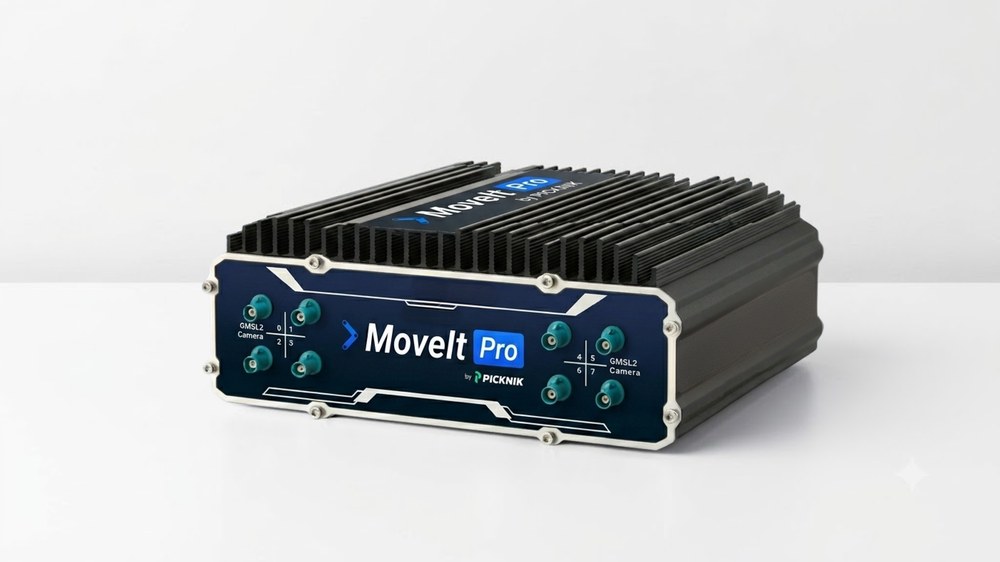
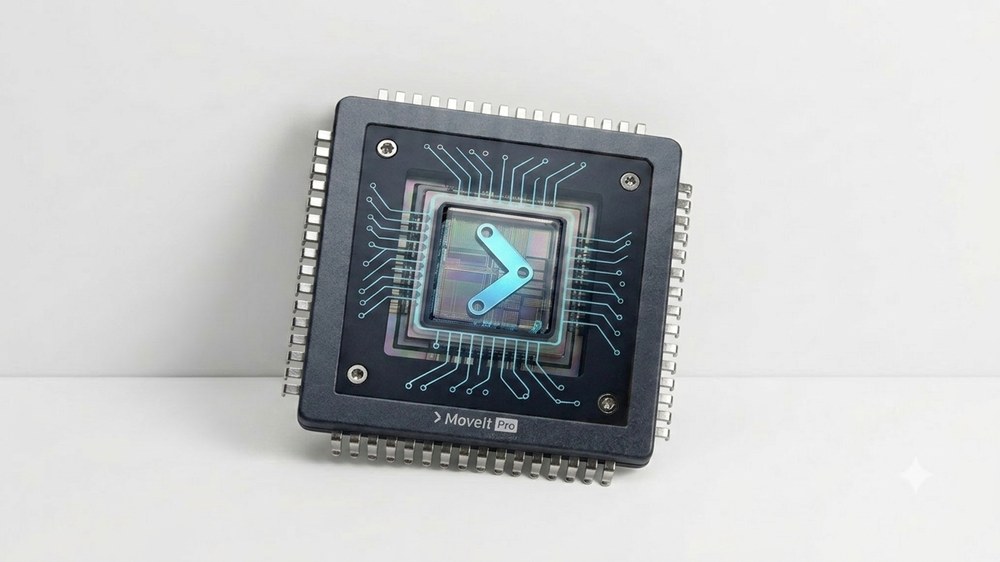
| MoveIt Pro Desktop App | MoveIt Pro Runtime | MoveIt Pro Core |
|---|
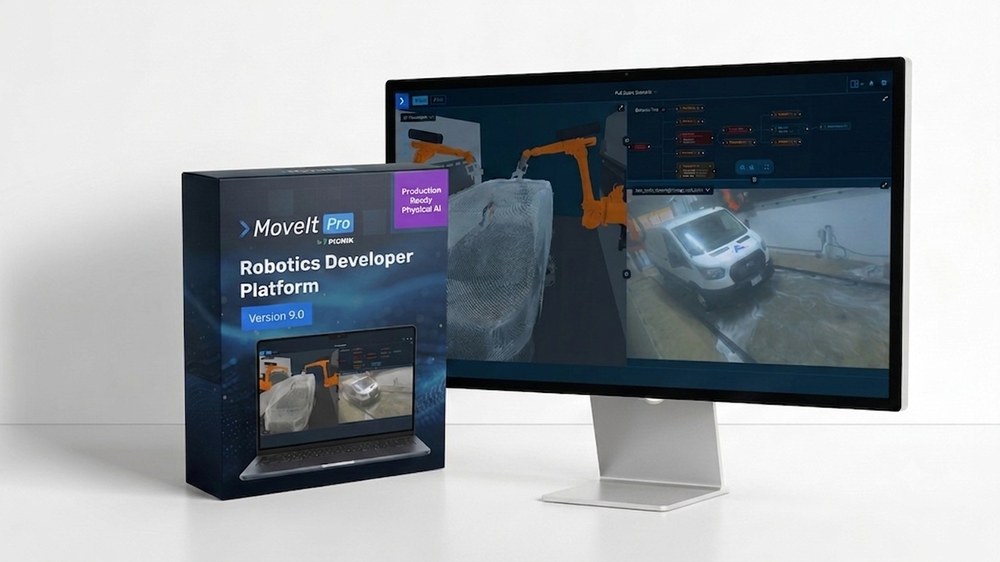 |  |  |
- UI for visualizing, debugging, and modifying robot systems and skills.
- Preview motions, monitor limits, and edit planning scene.
- Collect robot training data.
- Supervise and teleoperate robots.
- Build and debug Behavior Trees.
| - Real-time libraries embedded on the deployed robot.
- Optionally includes the high-fidelity physics simulator; without it, runs on lower-spec hardware.
- For production deployment.
| - Real-time controllers.
- Inverse kinematics solvers.
- Planners.
- Minimum dependencies.
|
Computer Requirements
- MoveIt Pro Desktop App
- MoveIt Pro Runtime
- MoveIt Pro Core
The Desktop App is a client. It renders the interface and connects to a Runtime running elsewhere, so it asks very little of the computer it runs on. The demanding requirements belong to the Runtime.
| Operating Systems Currently Supported | - Ubuntu 24.04 and 26.04 (amd64, arm64)
- Fedora 43 and 44 (amd64, arm64)
|
| Operating Systems Coming Soon | - macOS 26 (Apple Silicon) in 10.1.0
- Windows 11 (amd64, arm64) in 10.1.0
|
| CPU | Any modern 64-bit CPU (x86-64 or ARM64) |
| Minimum RAM | 8 GB |
| GPU | Not required. Hardware-accelerated graphics improve the 3D Visualizer, but integrated graphics are sufficient. |
| Disk Space | 1 GB for the installed app. None for the web app, which runs in a current browser. |
| Minimum Screen Resolution | 1024 x 768 pixels |
Simulation runs inside the Runtime, and it is what drives the requirements up. A Runtime that only executes on real hardware needs considerably less.
| With simulation | Without simulation |
|---|
| Operating Systems Currently Supported | - Ubuntu Linux 24.04 and 26.04
- Debian Linux Bookworm and Trixie
- Fedora Linux 43 and 44
- Ubuntu Linux in a Parallels VM on macOS
- Ubuntu Linux in WSL2 on Windows
|
| CPU | Modern multi-core 64-bit workstation CPU (x86-64 or ARM64), more than 8 cores | Modern multi-core 64-bit workstation CPU (x86-64 or ARM64) |
| Minimum RAM | 32 GB | 16 GB |
| GPU | - Strongly recommended for AI and simulation
- Without GPU will fall back to CPU but be very slow
| Optional; strongly recommended for AI models. |
| Minimum VRAM | 8 GB VRAM or 16 GB unified RAM |
| Disk Space | 25 GB available (includes CUDA, Docker, ROS, etc) |
Minimum requirements, custom to your needs.
| Recommended CPU | Tailored to your deployment |
| Minimum RAM | Tailored to your deployment |
| GPU | Not required |
| Disk Space | 200 MB |
Recommended Tier-1 Computers
NVIDIA Jetson
- NVIDIA Jetson AGX Orin DevKit with JetPack 7.2
Other Tier-1 Computers
- Neousys NRU-230V-AWP
- Desktop with NVIDIA RTX 5090
MoveIt Pro Runtime
The MoveIt Pro Runtime is the realtime set of libraries that embed with your deployed robot system. Customers are welcome to use their own user interface with just the Runtime, without the MoveIt Pro Desktop App. It can optionally include simulation, which is what drives its hardware requirements up — see the Runtime tab under Computer Requirements for the with- and without-simulation figures — with the additional software specifications below.
| OS Privileges | Root user (sudo) privileges are required for installation and setup |
| ROS Versions 1 | - ROS 2 Jazzy
- ROS 2 Lyrical Luth (MoveIt Pro support coming soon)
No ROS required on your host system, pre-installed in Docker containers for you |
| DDS Version 1 | - Cyclone DDS (recommended)
- FastDDS
No DDS required on your host system, pre-installed in Docker containers for youSee Customize DDS Configuration for more info. |
| Release Method | Debian / RPM package that downloads Docker containers |
| Robot Arm Model Format | - URDF robot model for use with hardware or kinematic simulations. Supports
.dae or .obj for full color and texture rendering, and .stl for simple coloring. - MJCF robot model to define physics such as inertia and actuator characteristics for a digital twin and model predictive control.
|
| Low-Level Control Interface | The ROS 2 Control API is used to command your robot using the following required control modalities:
Joint trajectory control: Joint state feedback: Other control modalities: Preferred controllers: Other supported controller interfaces: |
| Recommended Control Speed | - 500 Hz arm command rate or faster
- 500 Hz arm status rate or faster
|
| Gripper Control Interface | Preferred control modality: |
| Optional Mobile Base Requirements | Whole Body Control- Mobile base controller that provides velocity interfaces for the base. For an omnidirectional base, the controller needs to offer x, y, and theta velocity interfaces that can be directly connected to the JointTrajectoryController.
Navigation Support (Nav2)- Mobile base controller should take a geometry_msgs/msg/Twist message and convert it into wheel velocities.
- Localization requires an algorithm that publishes the transform from the
base_link frame to the map or odom frame.
|
1 Contact PickNik about support for other distributions.
Robot Hardware Specifications
Gold-Tier Supported Robot Arms
The following brands and models of robot arms are officially supported by PickNik at no additional integration cost, and should work out of the box. If you encounter issues with the integration, contact our support team to investigate on your behalf. Additional integration work or cost may be required for your chosen end effector.
MoveIt Pro can work with all brands of robot hardware and end effectors, but additional time-and-materials integration fees may be required, or your team can attempt the integration yourself.
| Brand | Model(s) | Notes |
|---|
| Universal | e-Series, cb3 Series | Online Guide. We recommend Polyscope 5. PolyscopeX does not currently support the tool communication port. |
| FANUC | CRX Series | Online Guide. ROS is supported with most control boxes. Confirm your specific control box's compatibility through FANUC support. |
| KUKA | KR Cybertech Series | Online Guide. ROS is supported with most control boxes. Confirm your specific control box's compatibility through KUKA support. |
| Kinova | Gen3 | Online Guide |
| Franka | FR3 | Online Guide |
| ABB | IRB Series | |
| UFactory | XArm Series | |
| Elite | CS Series | |
General Hardware Requirements
| Supported Robot Arm Types | - Dual-arm and multi-arm
- N-degree-of-freedom (DOF) robot arms — full feature set support: 6+ DOF; limited feature set support: 3–5 DOF
See our hardware ecosystem page for full compatibility. |
| Supported Robot Morphologies | - Linear rail
- Wheeled AMR / AGV
- Wheeled humanoid
- Torso
|
| Recommended End Effectors | - Parallel jaw grippers
- Vacuum grippers
Other gripper modalities are possible; see the hardware ecosystem page. |
| Minimum Cartesian Pose Repeatability (Recommended) | +/- 1 mm (+/- 0.039 in) relative to the robot base |
| Maximum Trajectory Tracking Error (Recommended) | +/- 10 mm (+/- 0.39 in) measured at the robot's tool flange |
| Force/Torque Control (optional) | Preferred:- Wrist-based 6-axis F/T sensor. Many of our Behaviors perform better with a force/torque controller on the end effector. Not required for all Behaviors.
Less ideal due to sensor noise:- Joint-based torque sensors. A calculated end effector wrench must be provided using a dynamic model of the robot.
PickNik's services team can implement these features for additional cost. |
| Camera Requirements (optional) | - Cameras, structured light scanners, and other sensors are supported if they are compatible with the ROS image_pipeline API.
- For best experience, two cameras are recommended: a wrist-mounted camera and a scene camera (mounted behind/above the robot).
|
| Recommended Depth Cameras (optional) | See our hardware ecosystem page for full compatibility. |
| Optional User Interface Devices | - Game controller (e.g. Xbox)
- Tablet computer with integrated gamepad (e.g. Steam Deck)
- Meta Quest VR headset
|
Currently Available Features
There are always new features being released, and some are likely not yet mentioned in this document. See the rest of our documentation, Technical Product Tour, and release notes for more feature information.
Motion Control Features
MoveIt Pro is a hardened, warrantied, and well-supported version of MoveIt designed to give you better results for your motion planning needs.
| Motion Planning | - Multi-arm joint-space motion planning
- Deterministic global motion planning
- Collision checking
- Planning with end effector constraints
- Inverse kinematics: pose IK and path IK
- Waypoint following with blended trajectories
- Arm/visual servoing
- Singularity avoidance
- Online collision checking
- Arm nullspace management
|
| Cartesian Motion Planning | - Underconstrained planning; can solve for poly-line paths in 3D
- Blending at corners: no stopping at intermediate waypoints
- Well-behaved at singularities
- Support for additional (nullspace) joint-space tasks
|
| Controls | - Real-time-safe Joint Trajectory With Admittance Control (JTAC)
- 3D user interface for tuning the spring-mass-damper axes and values at runtime
- Real-time-safe Cartesian velocity/force controller (VFC), robust at singularities
- Cartesian-space and joint-space velocity and acceleration limits
- Explicit force references on force-controlled axes
- Time-optimal trajectory smoothing
- Kinematic time parameterization
- Time-optimal velocity + acceleration limit parameterization
- Jerk-limit smoothing
- Joint Jog teleoperation for direct joint velocity control, with continuous collision checking
- Trajectory stitching: blend a sequence of trajectories into one smooth motion, removing full stops between segments
|
| Motion Task Planning | - Multi-step motion plans with constraints that avoid local workspace minima and singularities
- MoveIt Pro motion task planning debugger to show which steps prevent successful plans
|
| Grasping | - Geometric-based grasp generation library for picking basic shapes
- 2-finger grippers
- Suction cup grippers
|
Machine Vision Features
| Machine-Learning-Based Perception | - Segmentation of a single object in an image by clicking on the object
- Segmentation of objects in an image by providing a text description
- Automatic segmentation of all objects in an image, without classification
- Exemplar-based segmentation: segment objects matching a provided example image, text prompt, or bounding box (SAM3)
- Open-vocabulary 2D localization via a vision-language model (Google Gemini Robotics-ER)
|
| Point Cloud Perception | - 3D object registration from STL mesh
|
| RGB Perception | - AprilTag identification and tracking
- 3D user interface for defining a grasp relative to an AprilTag
- Geometric cuboid detection (for pick-and-place applications)
- Octomap collision checking
- Merging & downsampling of multiple point clouds
|
| Camera Calibration | - Extrinsic camera calibration via checkerboard pattern
|
Developer Features
The developer tools for creating new robot applications with MoveIt Pro and Behavior Trees. All feature availability depends on actuator and sensor capabilities.
| 3D Visualizer | - Preview arm motions before execution
- Display planned trajectory information such as planners used
- Display planning scene
- Display AR markers, such as grasps and detected objects
- Display point clouds
|
| Behavior Tree Editor | From a user interface: - Create and edit Behavior Tree "Objectives" — robot applications
- Edit a Behavior Tree's input and output ports
- Create, reuse, collapse, and uncollapse Subtrees
- Insert Behavior Tree breakpoints
- Visual editors for complex data types such as admittance parameters and constraints
|
| Behavior Tree Visualization View | - View Behavior Tree status in real time using the visualizer
- Step through Behavior Tree breakpoints
|
| Behavior Extensibility | - Create your own application-specific Behavior extensions
- Use an assistant to auto-generate boilerplate code templates
- Develop these plugins in C++
|
| Motion Task & Task Sequencing Planning | - Create Behavior Trees with multi-step motion plans
- Automatic generation of Behavior Trees from symbolic task plans
|
| Camera Views | |
| Remote Connectivity | - Program and control robotics applications remotely with the MoveIt Pro Desktop App
- Reset robot faults remotely from the MoveIt Pro Desktop App
- Multiple systems or operators can connect to the same Runtime simultaneously
|
Manual Control & Teleoperation Features
| Manual Robot Control | - Move to saved, user-editable poses
- Control a robot arm at the Cartesian end effector level
- Move the arm to a dragged end effector pose
- Control a robot arm at the joint level, obeying joint limits
- Adjust the speed of motion
- Teleoperate the robot and collect training data using a Meta Quest VR headset
|
| Human in the Loop / Supervised Autonomy | - Pick up basic cuboid objects with "click to pick" (may require manual adjustment to the exact grasp positions; limited by the width of the physical gripper)
- Press physical buttons selected from a camera view (requires F/T control)
- Open standard cabinets with front-facing handles — the operator clicks the cabinet handle in a 2D image and the robot completes the rest (requires F/T control and admittance control)
- Open lever-handle doors (depends on reachability of the arm)
|
| Situational Awareness | - Inspect a surface or move the arm closer to an area by clicking on a 2D image
- Take a point cloud snapshot and generate a voxel map for collision-aware motion planning
- Detect cuboid objects on a planar surface for pick-and-place applications
|