Run the VLA Cube-Stacking Example
This guide runs a vision-language-action (VLA) policy end to end on a simulated robot. In the vla_sim robot configuration package, a Kinova Gen3 arm faces three colored cubes on a table and stacks one on another, following a written instruction.
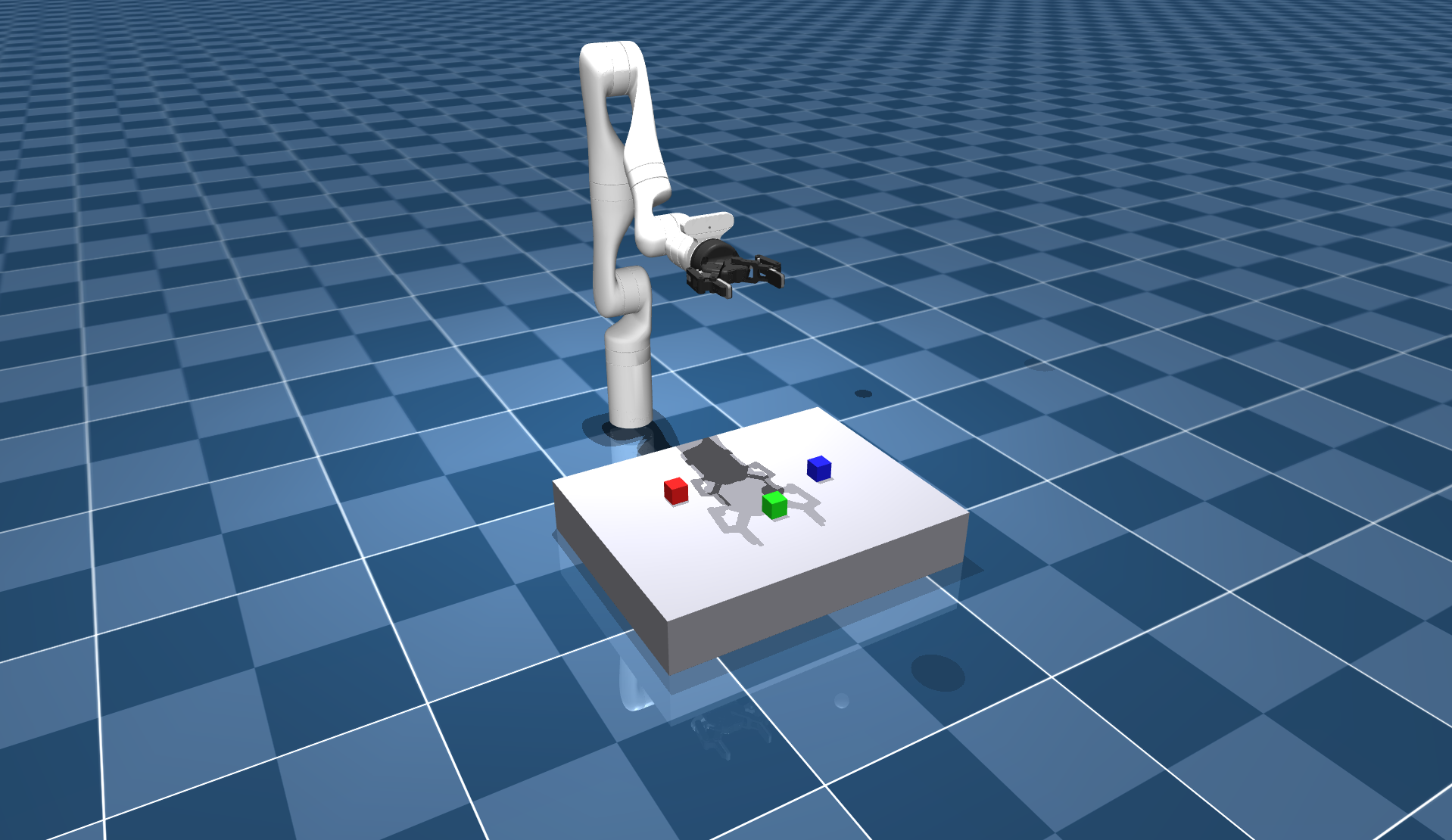
Nothing in this loop plans a path or locates a cube. The policy reads three camera views and the arm's joint positions, takes the instruction stack the blue cube on the green cube, and answers with the next stretch of joint positions to move through, spaced a tenth of a second apart. MoveIt Pro assembles those stretches into one continuous trajectory and streams it to the arm's admittance controller, requesting the next stretch before the current one runs out. The checkpoint is PickNikRobotics/pi05_kinova_gen3_cube_stack_sim, a pi0.5 model PickNik fine-tuned for this scene.
You will start a local inference server, run the Stack Cubes with the VLA Policy Objective, and watch the arm work. Pointing the same setup at a different model is a config edit, covered in Swap in a Different Checkpoint. For anything beyond that, such as bringing your own inference server or connecting a policy MoveIt Pro has never seen, Connect a VLA Policy documents the pipeline and the service contract it runs on.
Every point of every chunk is checked against the commanded joints' limits and against the planning scene for collision, the run stops if a force-torque reading crosses its threshold, and the chunks are blended together so the motion stays smooth and continuous. See Executing a Policy Safely for what that does and does not cover.
Prerequisites
- MoveIt Pro installed, with the example workspace.
- An NVIDIA GPU. It is the only GPU the inference server can use. The server does run on CPU, where inference is far slower and a smaller model such as SmolVLA is a better fit than the pi0.5 checkpoint this guide uses. See Troubleshooting.
- A Hugging Face account, an access token, and acceptance of the PaliGemma license. Loading the checkpoint pulls a gated Google tokenizer, even once the weights themselves are cached locally, so the load fails until your account has accepted that license. Accept it before you start. The checkpoint itself is a derivative of Google's Gemma and is distributed under the Gemma Terms of Use, whose use restrictions apply to running it. Review them before you run or redistribute the model.
Set Up and Run
From the example workspace:
export HF_TOKEN=hf_your_token_here
moveit_pro build
moveit_pro run -c vla_sim --with-inference-server
moveit_pro build compiles vla_sim into the workspace, but it leaves the inference server image alone by design. That image is profile-gated, so the first --with-inference-server run builds it ahead of every other service. Expect that run to take far longer than a normal launch.
You can set HF_TOKEN in the workspace .env instead of exporting it. The server README lists every environment variable the server reads.
Loading the model takes a minute or more, and longer on the first run while the checkpoint downloads. The launcher watches the server and prints Inference server ready once it is up, or the reason it failed if it never gets there (see Troubleshooting). Port 8973 is the default, and MOVEIT_INFERENCE_PORT moves it. Adding --verbose to the run command follows the container's own output instead.
Run the Objective
Wait for the Inference server ready line. Starting the Objective any earlier fails it, because a server that is still loading rejects the request rather than queuing it.
In the MoveIt Pro web UI, run Stack Cubes with the VLA Policy. The Objective activates the admittance controller, opens the gripper, and moves the arm to its Home waypoint, then hands control to the policy.
The policy runs for total_action_steps * dt, or 30 seconds with the shipped values. The Objective then stops successfully whether or not the cubes ended up stacked, so watch the arm rather than the status. A successful run leaves the blue cube resting on the green one.
Run Reset MuJoCo Sim between attempts to put the cubes back.
The task instruction comes from the prompt port on the Objective's ExecutePolicy Behavior, which the shipped Objective sets to stack the blue cube on the green cube. You can change it, but a policy only follows instructions it was trained on. This checkpoint stacks the colored cubes in this scene and nothing else.
Avoid Reloading the Model on Every Restart
Stopping the stack also stops the inference server, and the model it had loaded into memory goes with it. If you are iterating on an Objective and restarting often, that wait adds up. Run the server on its own in one terminal and the stack, without --with-inference-server, in another:
# Terminal 1: the server, which narrates its loading and ready status.
moveit_pro run --only-inference-server

# Terminal 2: restart this as often as you like; the loaded model survives.
moveit_pro run -c vla_sim
Ctrl-C in Terminal 2 leaves the server running. moveit_pro down does not, and stops every service including the side-started server. The downloaded checkpoint survives either way, because the cache is a workspace folder rather than container storage. What you lose is the model held in memory.
Passing --with-inference-server while a standalone server is already running hands that container to the stack. Stopping the stack then stops the server with it, unloading the model you were trying to keep.
Swap in a Different Checkpoint
config/vla_serving.yaml selects the model and controls how it is loaded and run, and its comments document every setting. The ones you are most likely to change:
checkpointtakes a Hugging Face repo ID, or the container path of a directory you place in the package'smodels/folder, which the server reads as/models/<checkpoint-dir>. A bare directory name is rejected at startup.policy_classnames the LeRobot policy family. Leave it empty to read the family from the checkpoint.fpsis the rate the checkpoint was trained at. Keep it matched to the Objective'sdt.deviceset toautotakes a usable GPU and otherwise falls back to CPU.
The file is mounted into the container, so restarting the inference server picks up an edit and no image rebuild is needed.
A different checkpoint also needs edits in the Objective, because the request has to describe the same inputs the checkpoint was trained on:
- Set
image_namesto the checkpoint's trained camera names. There is no remapping layer, so the server rejects a request whose names do not match, and names the ones it expects instead. It also logs that set asrequest names: [...]when the checkpoint loads, so read them from the server log rather than guessing. A checkpoint trained on a different number of views needsimage_topicschanged to match, since the two lists are index-aligned. - Set
dtto1 / fps. Get it wrong and the motion runs at the wrong speed, scaling every joint velocity with it.
Troubleshooting
- The server reports an error at startup. The launcher prints the reason it gave. The most common cause is a blank or unset
MOVEIT_FRONTEND_KEY, since the server requires the deployment's shared key as a bearer token on/inferand fails closed without it, never loading a model at all. See Endpoint Security. A malformedvla_serving.yaml, a checkpoint the token cannot reach, ordevice: cudaon a host with no GPU park it in the same state. - The server reports an error naming a gated Hugging Face repo.
HF_TOKENis unset or wrong, or the account has not accepted the PaliGemma license. - The ready line never arrives. Model loading takes a minute or more, and longer on the first run while the checkpoint downloads.
- The Objective fails as soon as it starts. The server was still loading. Wait for the ready line.
- No usable GPU. The inference server receives an NVIDIA GPU automatically, but AMD and ROCm GPUs are not passed through to it, so the server runs on CPU there. The image handles CPU without any change on your part.