AprilTag Pose Estimation Benchmarking
To learn more about how to use April Tags, see this grasping how to guide or this tutorial Fiducial Marker Detection with AprilTags
This how-to guide will walk through how to run and visualize an AprilTag Benchmarking example to evaluate the accuracy of fiducial pose estimation.
Launch MoveIt Pro
We assume you have already installed MoveIt Pro to the default install location. Launch the application using:
moveit_pro run -c april_tag_sim
Important: AprilTag Configuration in Simulation
When using AprilTags in simulated configurations (such as MuJoCo), it is critical to understand how tag size affects pose estimation accuracy.
When creating AprilTag textures for simulation, do not include the white margin in the texture image. The white margin is the border around the black-and-white square pattern of the tag.
Why this matters:
- AprilTag size is measured by the black square pattern only, excluding the white margin
- If the white margin is included in the texture, it will also be applied to the MuJoCo object
- This causes the MuJoCo object size to not match the actual tag size
- Using the MuJoCo object size as
tag_sizein the DetectAprilTags Behavior will be incorrect, leading to pose estimation errors
Best Practice:
- Create AprilTag textures without white margins
- Use the MuJoCo object size directly as the
tag_sizeparameter in DetectAprilTags - This ensures the tag size matches what the detection algorithm expects, minimizing room for error
1. Collect AprilTag Estimation Data
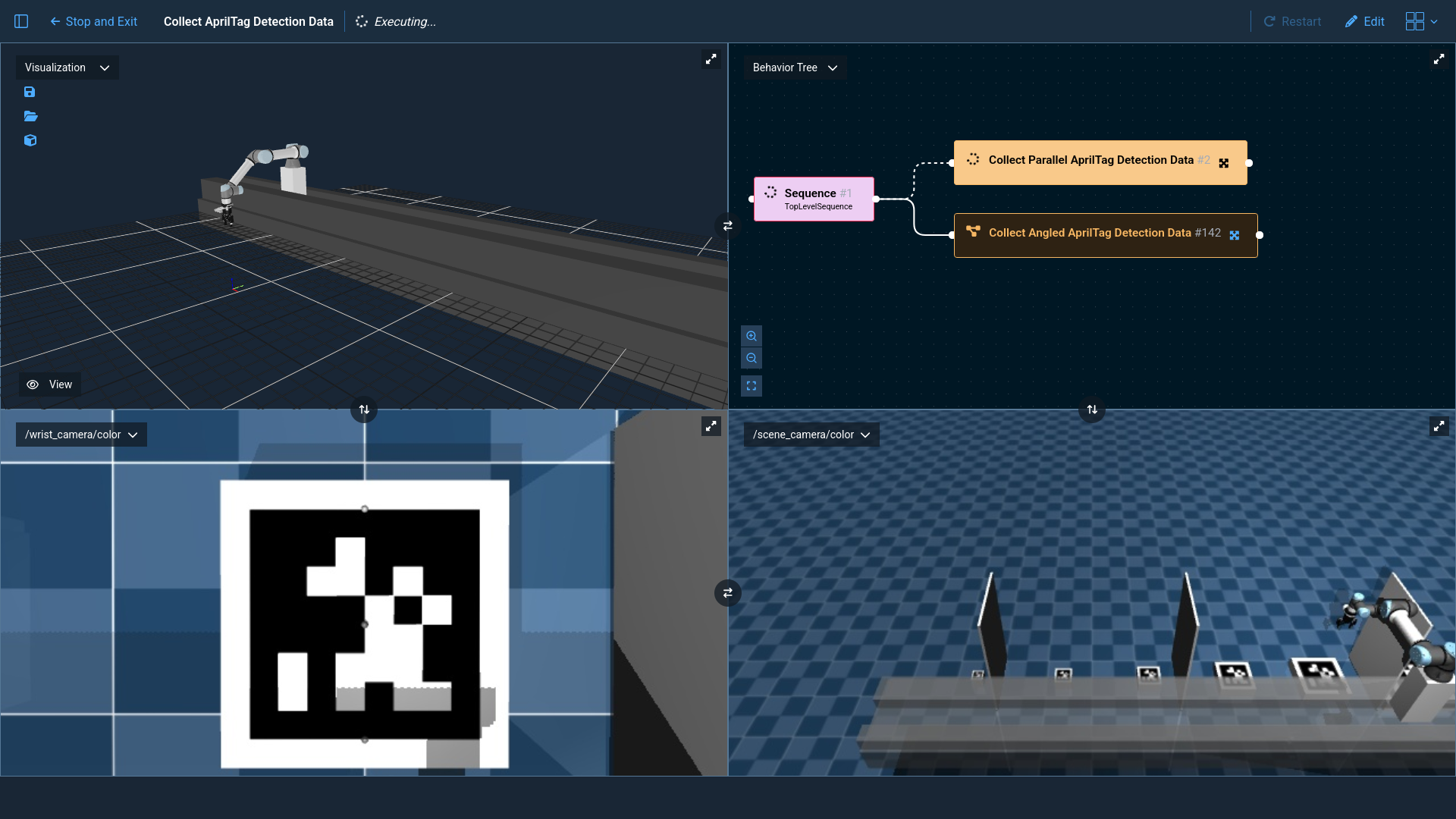
Run the Collect AprilTag Detection Data Objective. This Objective will run AprilTag detection on each of the 6 tags in
the workspace 20 times: 10 with the wrist camera parallel to the tag and 10 with the wrist camera angled 45 degrees
relative to the tag. The deviation of each detection from ground truth will be recorded and saved to YAML files for
analysis in the next step.
2. Analyze AprilTag Estimation Data
While Pro is running, enter the container.
moveit_pro shell
Navigate to the april_tag_sim/scripts directory.
cd ~/user_ws/src/april_tag_sim/scripts
Ensure the required Python packages are installed.
pip install -r requirements.txt
Run the analysis script with python.
python3 analyze_apriltag_data.py
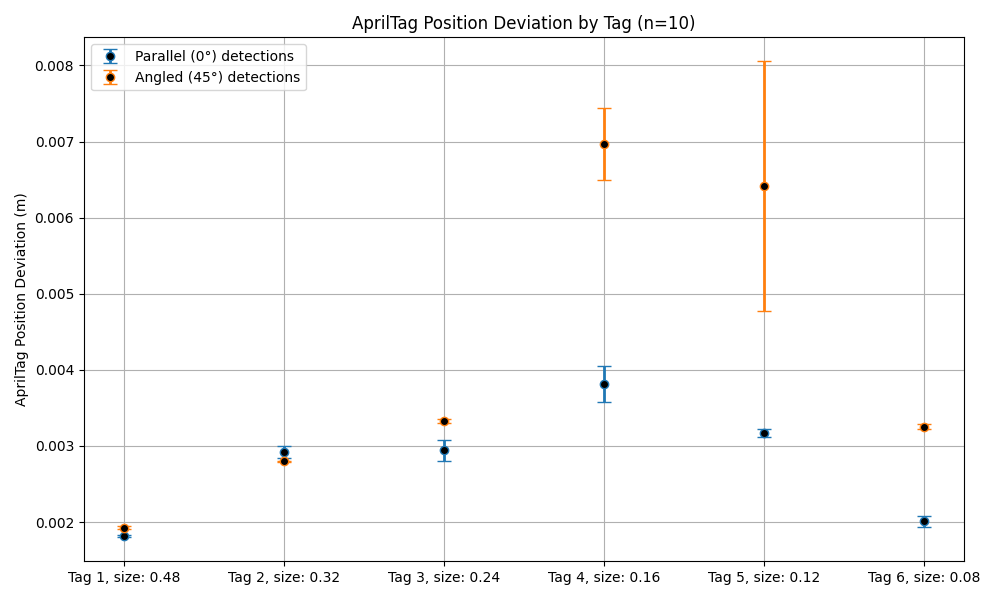
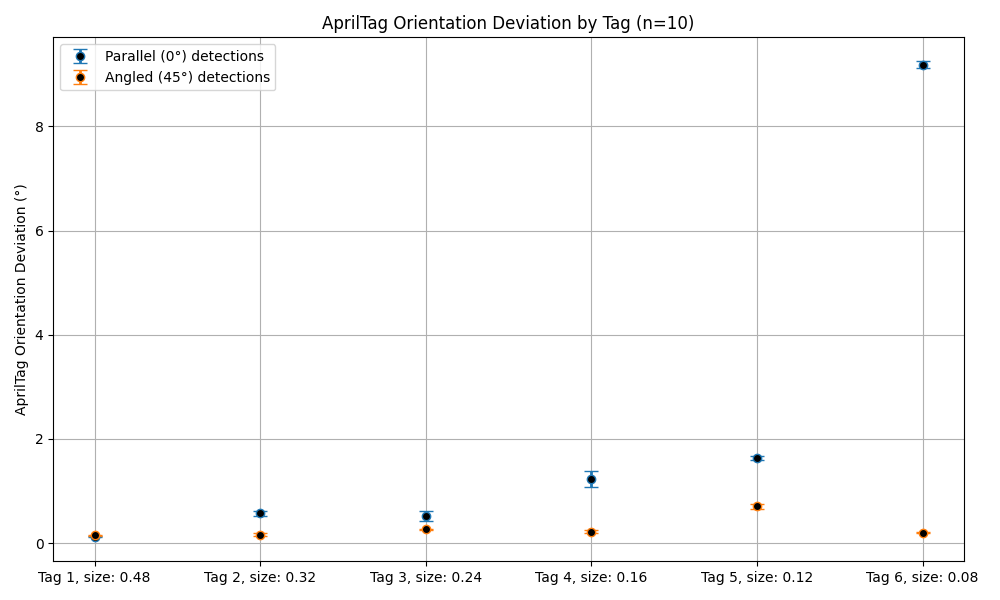
This script will read the data recorded in the previous step and generate plots like the following.